MAX_Kurzanleitung_Brief_Overview_V1.03_de_en 83 / 105
27.5.4.2 Mode 2: Charging with the integrated charger
Switch off the MAX Li-Ions mobile workstation and the equipment connected to it by pressing the On/Off
switch on the front (switch light goes out). Plug the charger connection cable into a stationary 230 V AC
shockproof socket.
You will see that the charging process has begun by looking at the front of the battery controller; the battery
capacity in percent will rise slowly after plugging in.
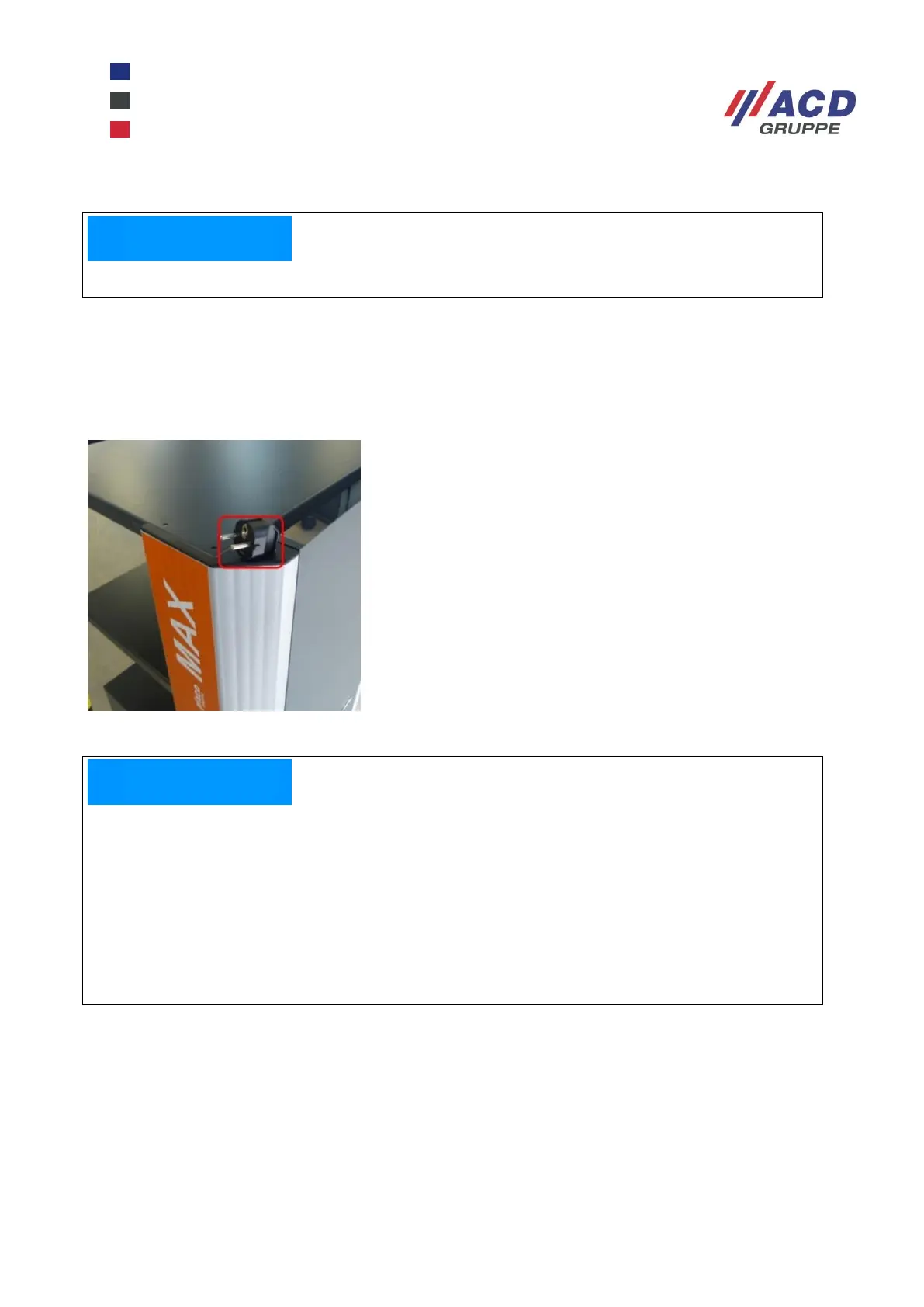
Figure 27: MAX Li-Ions charging cable
When the display shows 100 %, the lithium-ion batteries are fully charged and you can use the mobile
workstation for the time specified in the technical data.
To charge the MAX Li-Ions, switch off at the On/Off switch.
The lithium-ion batteries have the advantage that interim charging is possible, i. e. you can
interrupt the charging process at any time.
However, if the MAX Li-Ions switches off automatically when the residual capacity of the battery
drops to approx. 10 %, a charge to > 15 % battery capacity must be carried out. Not until that is
reached can the mobile workstation be switched on again.
This means you can use any breaks in your work, lunch break etc. to charge up the battery.
A complete charge for a battery that has discharged down to 10 % capacity back up to 100 %
charge takes about 5 to 6 hours.


 To Next Page