MAX_Kurzanleitung_Brief_Overview_V1.03_de_en 82 / 105
Press the On/Off switch on the front (switch light lights up) to switch on the power (24 V DC (option) and 230
V AC). The mobile workstation is now ready to use.
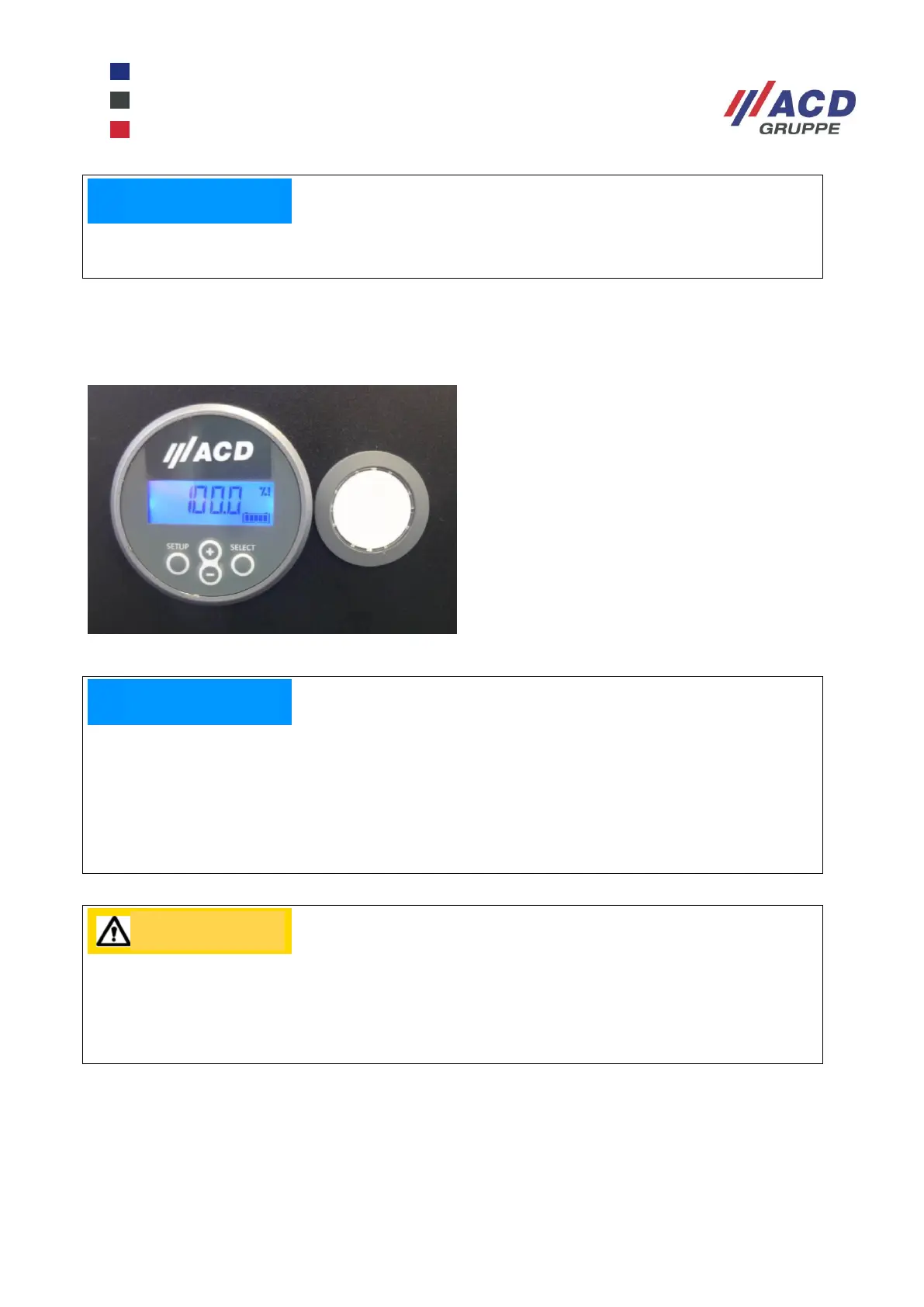
Next, check the current charge state of the batteries by looking at the display of the built-in battery controller.
Figure 26: Battery controller, On/Off switch
To switch off the mobile workstation and the equipment connected to it, press the On/Off switch on the front
again (switch light goes out).
Please do not exceed the maximum load, otherwise this will trip the internal fuse. For the relevant values,
please see Chapter 32.6 technical data.
MAX Li-Ions:
Display 100 % – batteries are “full”
Display <=10 % – batteries are “empty”
The MAX Li-Ions does not always need to be charged to 100 %; charging can be interrupted at any time,
interim charging is possible.
Please note that if the MAX Li-Ions drops to a residual capacity of 12 %, an acoustic signal will sound.
After that, you will have time to charge up the MAX Li-Ions. This signal can be cancelled by pressing any
key on the battery controller.
When the residual capacity drops to approx. 10 %, the automatic shut-down of all consumers follows; this
involves the risk of system crashes when working with unsuitable PCs (e. g. PCs without battery back-up).


 To Next Page