MAX_Kurzanleitung_Brief_Overview_V1.03_de_en 69 / 105
25.4 Battery
25.4.1 Battery maintenance
The two batteries installed in this mobile workstation are maintenance-free AGM block batteries.
25.4.2 Warnings about handling batteries
26 Battery changing
26.1 Battery changing with changing tray
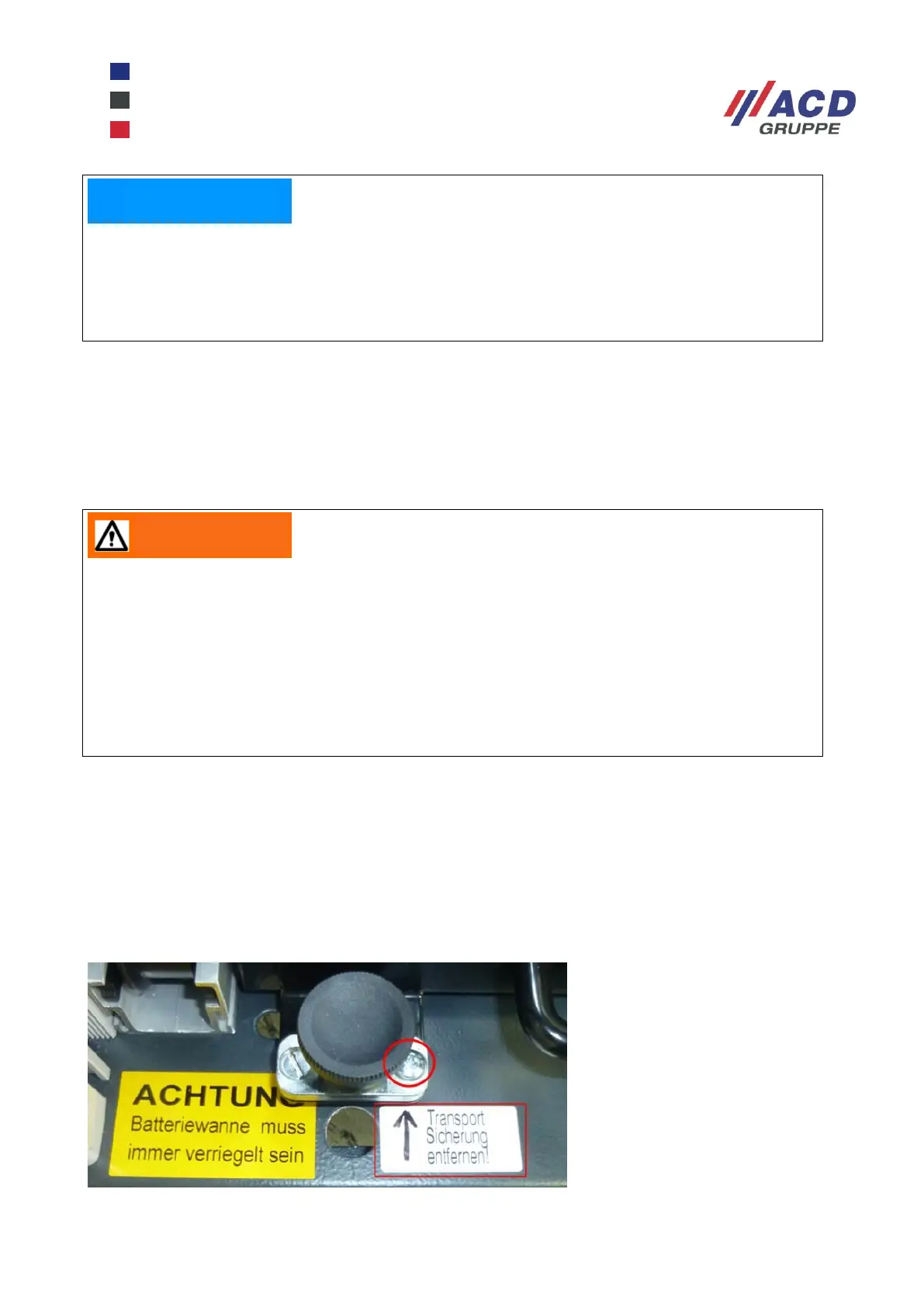
26.1.1 Battery changing tray: remove transport securing screw
Before commissioning, remove the transport securing screw and replace it with the screw supplied (on the
tray handle).
Please keep the transport securing screw for later use (e.g. during transport).
Figure 13: Battery changing tray transport securing screw
If the mobile workstation is discharged down to the final discharge limit, the battery must be fully
recharged in order to reset the battery controller. It is therefore urgently necessary to charge it for
5 till 10 hours or to insert a fully charged battery tray.
The battery controller takes a few seconds for the restart after the first time it is switched on after
deep discharging.
Working in the vicinity of batteries can be dangerous. Batteries can produce explosive gases.
Avoid smoking, sparks or naked flames in the vicinity of batteries.
Wear goggles and protective clothing. Do not touch your eyes while working with batteries. After
working with batteries, wash your hands thoroughly.
Take care when using metal objects in the vicinity of batteries. This can cause a short-circuit and
an explosion of the battery.
Remove personal items such as rings, bracelets, watches and necklaces when working on
batteries. In the event of a short-circuit, these can lead to serious injuries.


 To Next Page