Web Interface
© 2018 ACTIA I+ME GmbH │ Ref. IR:14938 50 / 92
12.5 Configuration
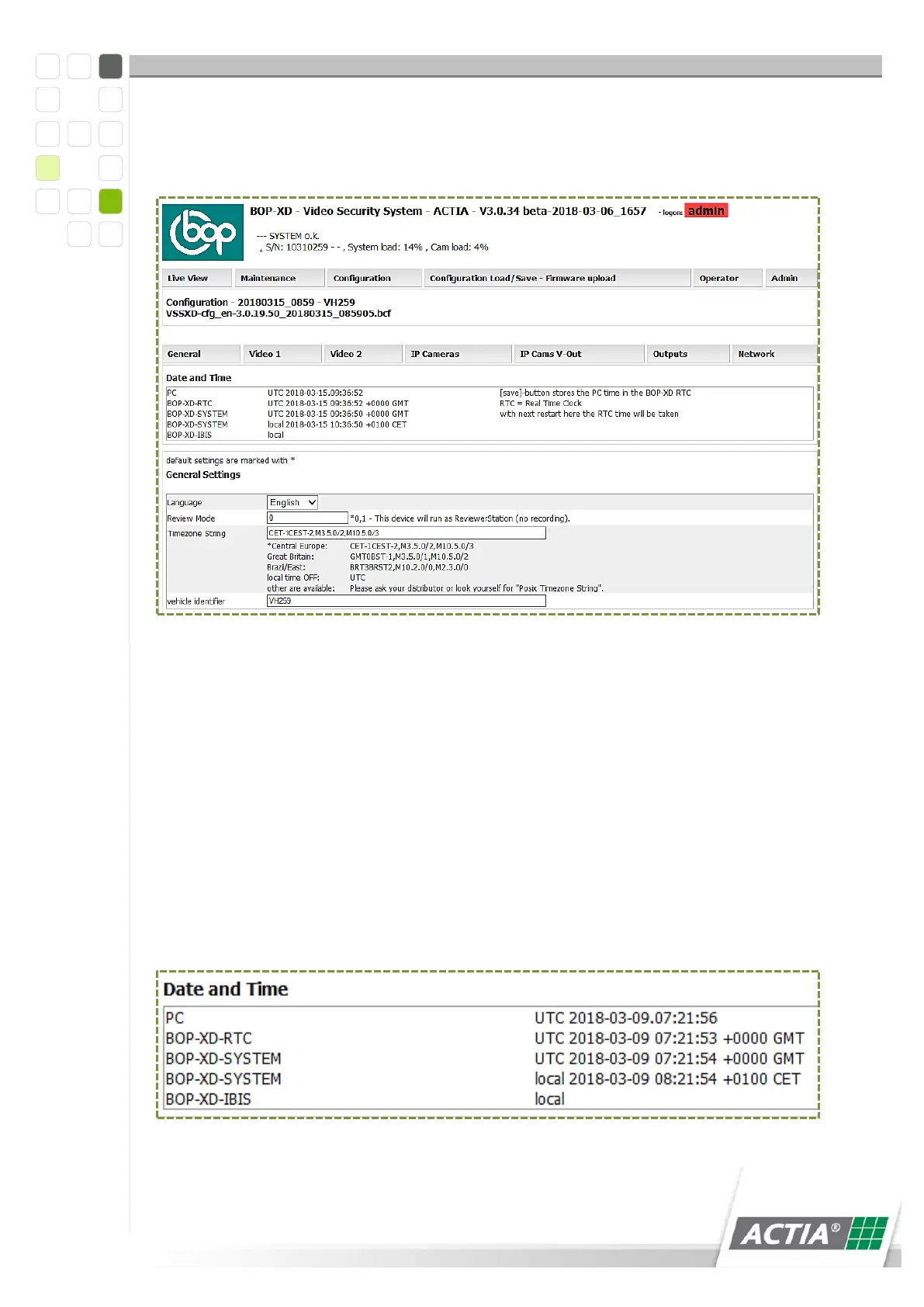
On the [Configuration] site, you can adjust the general as well as specific setting.
Figure 14) Configuration Part 1
12.5.1 General Settings
The general settings affect the alarm data recording, error messages and BOP
switch-off.
12.5.1.1 Date and Time
BOP xD contains a real-time clock [RTC]. In case of deviations, the [RTC] should be
adjusted because otherwise the time stamps of the data recordings do not allow for
conclusions regarding the exact recording time. The time zones can be changed. The
[save] button saves the PC time in the BOP Real Time Clock [RTC]. The RTC is
applied after a restart.
Figure 15) Setting the date/ time



 To Next Page