Web Interface
© 2018 ACTIA I+ME GmbH │ Ref. IR:14938 66 / 92
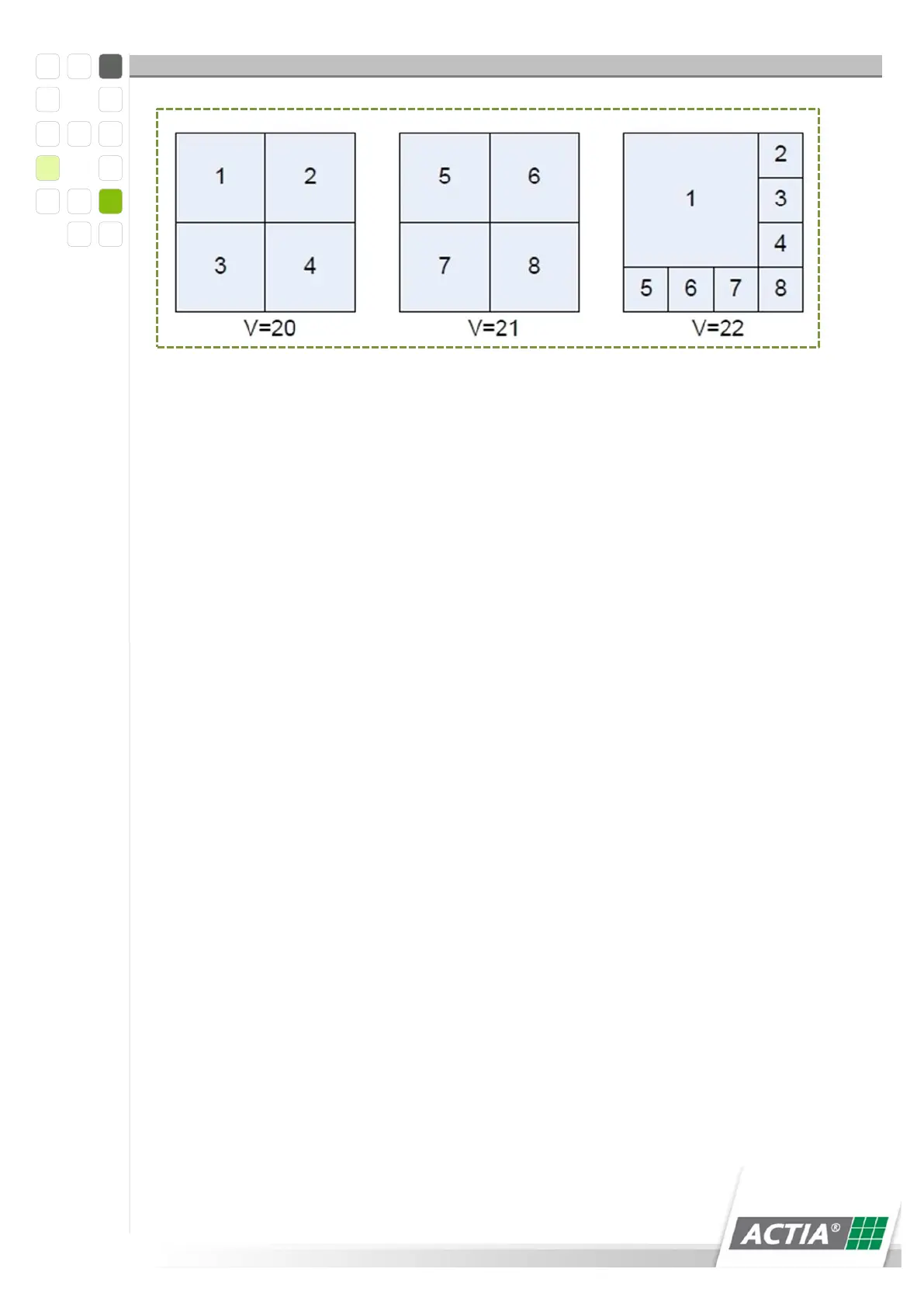
Figure 27) Multiscreen
v1-t10
The current signal from camera 1 is displayed on the monitor for 10 sec.
t20-t5
A mosaic of the signals from cameras 1 to 4 is displayed on the monitor for 5 sec.
Example of a sequence - v1-t10,v2-10,v3-t10,v4-t10,v20-t10
The signals from cameras 1 to 4 are displayed on the monitor one after the other for
10 seconds each; after that, a mosaic of all 4 video signals is displayed for 10
seconds.
12.5.5.3 Default Video Input
Indicates the video signal that is displayed on the monitor when the cycle is inactive.
This setting is effective only when the >Automatic cycle< setting is set to 0.
0 = The last displayed video signal remains on.
1 ... 8 = The video signal with the respective number is shown
continuously.
12.5.5.4 Reversing Camera
A camera with display priority can be determined for surveillance of the area behind
the vehicle.
0 = No reversing camera available
1 .. 8 = Video input of the reversing camera



 To Next Page