Web Interface
© 2018 ACTIA I+ME GmbH │ Ref. IR:14938 78 / 92
4 The system is starting, all LEDs are flashing
5 Wait until all LEDs are off
6 Flip the key switch to “ON”
7 Wait until the system starts up
8 Error LED is flashing
9 In test mode, the hard drives are not installed but they can be formatted.
The configurations parameters can be modified and the configuration can be loaded/
saved. The operator can authenticate a USB stick and grant reading rights.
12.2.2 Downloading Passenger Count Data per USB Stick
The passenger count data downloads is secured by the use of the SHA-512 hash
function. The RS232 plug allows for complete access to the data from a USB stick.
The USB stick has an individual identification name. Authentication is done by key
comparison; if the key does not correspond, access is aborted. Attempted access
failures are recorded in the log file. The SHA-512 must be available to generate the
key file. The key file on the USB stick is always called „vssAuthKeyStick“.
12.2.3 Generating the Key File using the Web Interface
1 Insert the USB stick in the PC
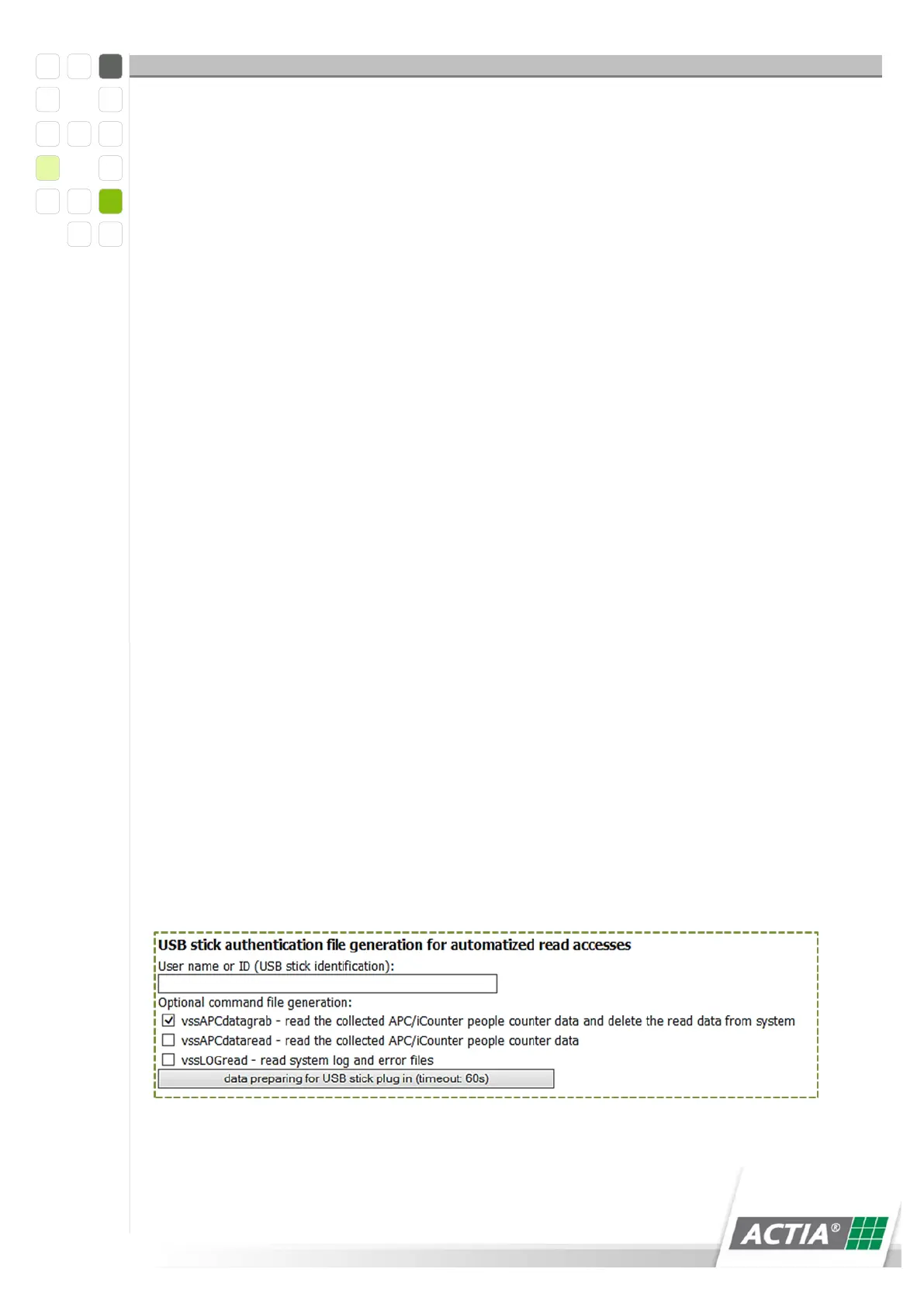
2 Select the batch files that also need to be generated for the read functionality.
* Read log files - "vssLOGread"
* Read passenger count data – „vssAPCdataread“
* Read and delete passenger count data – „vssAPCdatagrab“
Figure 33) USB identification



 To Next Page