Web Interface
© 2018 ACTIA I+ME GmbH │ Ref. IR:14938 54 / 92
Alarm OSD text - *“**ALARM**“depending on the messages in the
video output, this text is displayed on the monitors in the event of an
alarm.
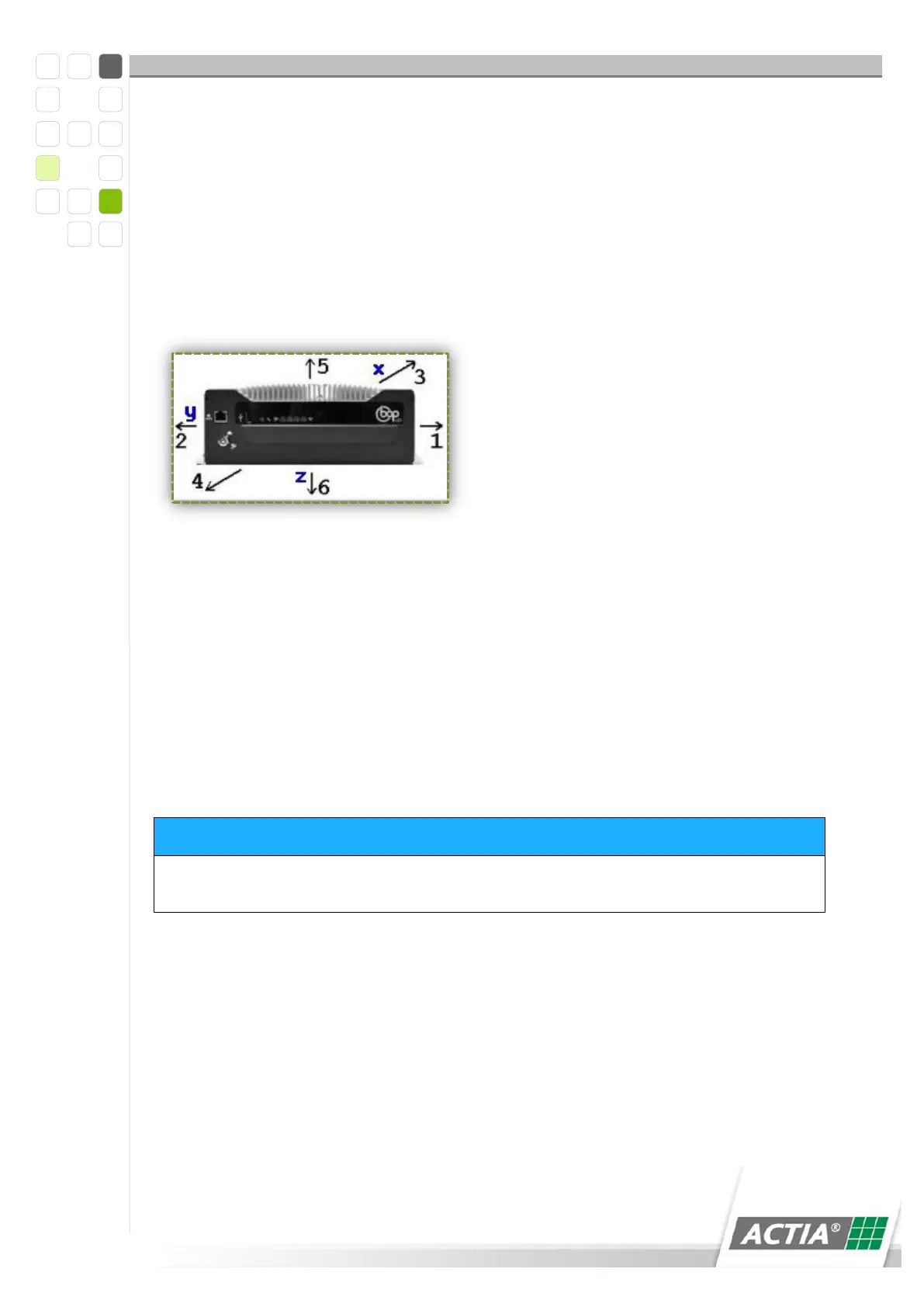
Emergency stop ALARM - triggered by an acceleration sensor You must
enter the correct acceleration direction, because only one acceleration
direction will be checked.
1= right, 2= left,
3= backward, 4= forward
12.5.1.11 Key Switch
The slide disk can be exchanged. When the key switch is at Value 1. If the key switch
is at 1 in the configuration, the system cannot be switched off and the slide disk can
be changed. After the slide disk has been changed, the Value can be set to 0 again.
Key switch [OFF] mode - 0 = System OFF
Key switch [OFF] mode - 0 = Slide Disk release mode, recording is
stopped, slide disk is unlocked
System switch-off is only possible by deactivating KL15, IN#1, IN#2, IN#3
12.5.1.12 24V Fault Test
When supply voltage is interrupted (Terminal 30 - battery), BOP is switched off
without a delay. This can be classified and protocolled as an error.
0 = Error entry due to supply voltage failure
1 = No error entry due to supply voltage failure



 To Next Page