• • • • • • • • • • • • • • • • • • • • • • • • • • • • • • • • • • • • • • • • • • • • • • • • • • • • • • • • 4 – 15
Vehicle Diagnostics
4
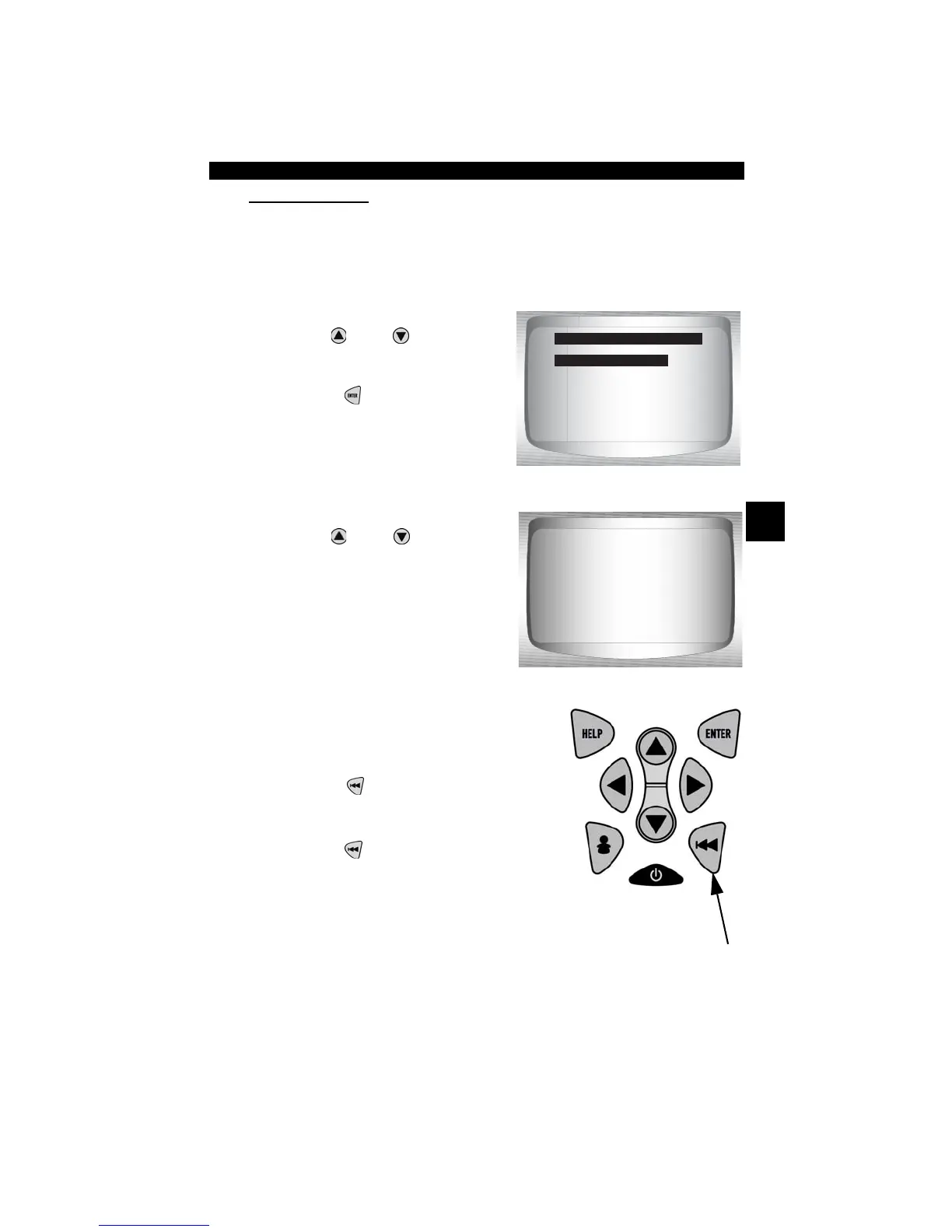
View Entire List.
✓ View Entire List shows all supported PID data for the vehicle being
tested.
From Select Data to View menu:
1.
Select Entire Data List.
•Use
UP
or
DOWN
arrow
key until Entire Data List is
highlighted.
•Press
ENTER
.
2. View PIDs on Scan Tool.
•Use
UP
or
DOWN
arrow
key.
.
3. Return to Select Data to View
Menu.
•Press
BACK
.
4. Return to OBD II Function List.
•Press
BACK
.
Select Data to View
=====================
Entire Data List
Custom Data List
Customize Linea
15.5
A/C PRESS (V) 3.00
A/F RATIO 14:1
BARO PRESS ("Hg) 29.9
ABSLT TPS (%) 12.2
ENGINE (RPM) 2352
CALC LOAD (%) 83.1
MAF (LB/M) 0.57
A/C PRESS (psi)



 To Next Page