Adria Caravans 37
8.4 Window blinds and insect screens
8.4.1 Blind and insect screen - version 1
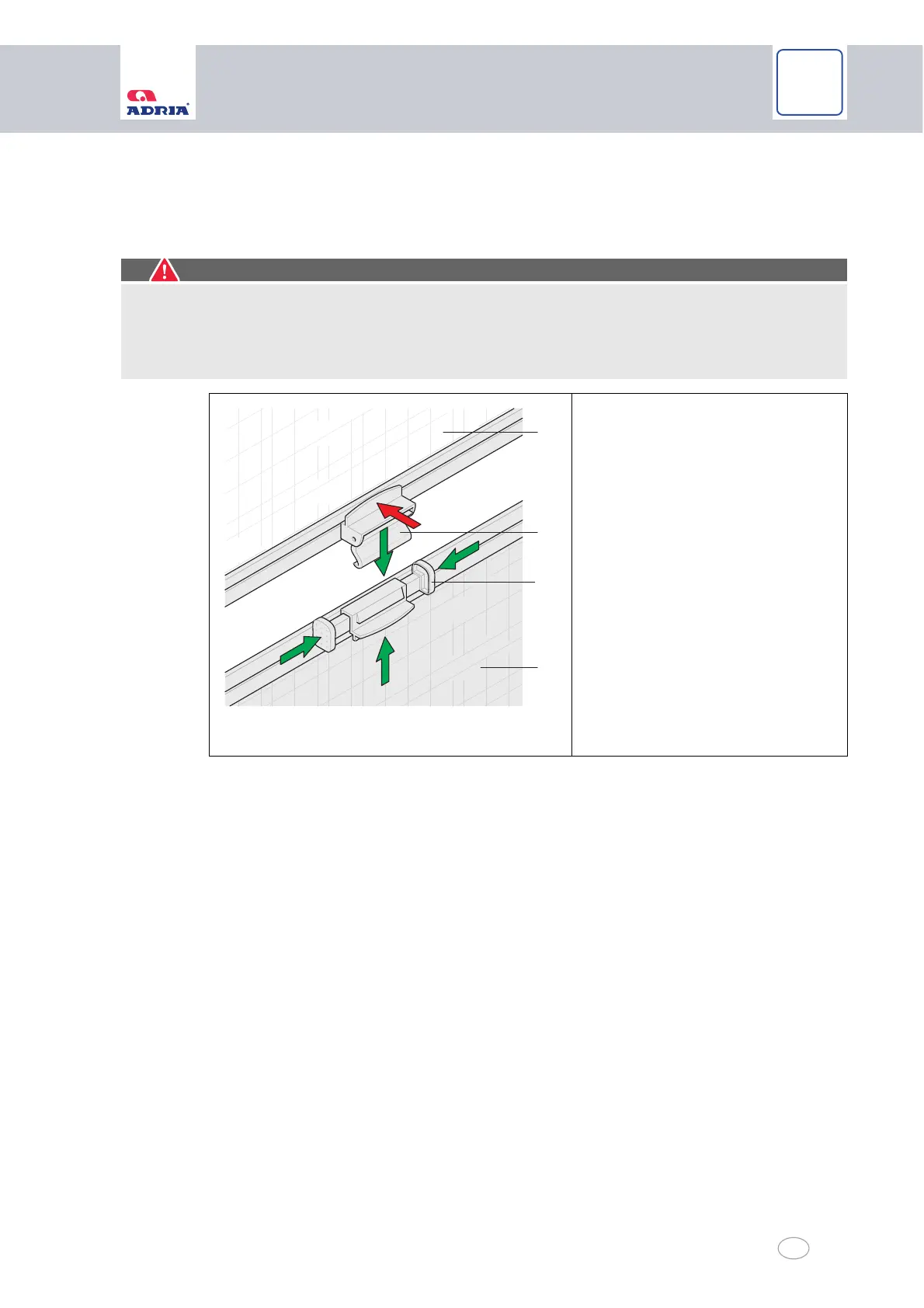
The blind (Fig. 20/1) is located in the bottom part of the window frame.
The insect screen (Fig. 20/3) is installed in the top part of the window frame.
Opening and closing the blind:
Press the two pushbuttons (Fig. 20/2) together.
Slide the blind to the desired position.
Releasing the two pushbuttons automatically clamps the blind in place.
The blind (Fig. 20/1) has a restricting device so that it can be latched into place at different
latching positions.
Opening and closing the insect screen:
Pull the insect screen (Fig. 20/3) down until the catch (Fig. 20/4) latches into place in the
blind (Fig. 20/1).
The insect screen (Fig. 20/3) can be operated only in combination with the blind (Fig. 20/1).
Separating the insect screen from the blind:
Press on the upper catch (Fig. 20/4) of both blinds.
Caution!
Damage to insect screen
When you unlock the blind/insect screen, hold on to the insect screen (Fig. 20/3), other-
wise it will snap up with spring tension. Snapping up could damage the screen spring
and the insect screen.
Fig. 20 Opening and closing of the blind and insect
screen - version 1
1 Blind
2 Pushbuttons
3 Insect screen
4 Catch



 To Next Page