58 Adria Caravans
8.11.1 TV slide-out and small parts shelf
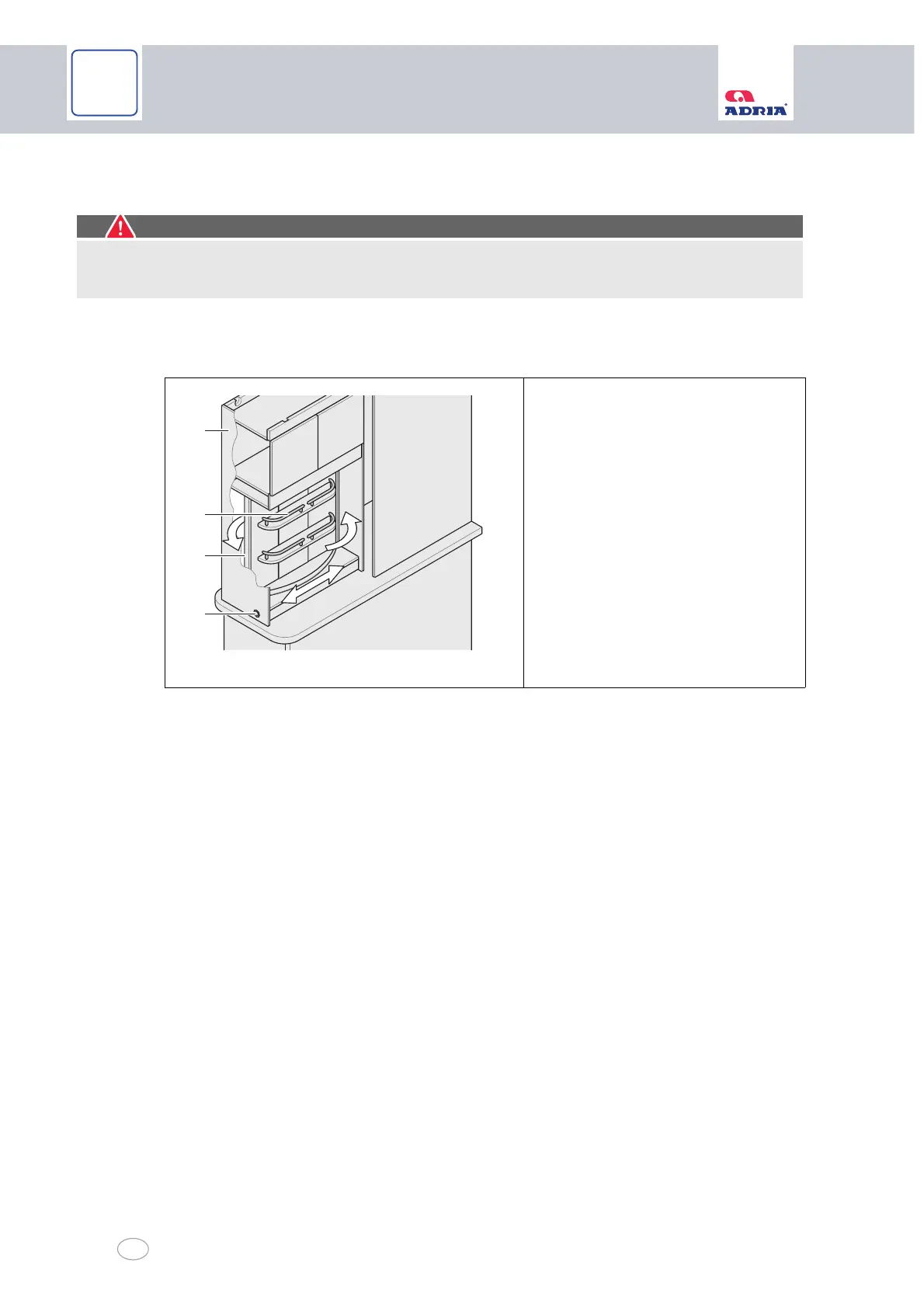
Some vehicles are fitted with a TV bracket combined with a small parts shelf. The TV (flat
screen) can be fitted on the TV fixing surface (Fig. 42/2) on the rear side of the small parts shelf
(Fig. 42/3). You can swivel the TV towards the sleeping or living area when in use.
Sliding the TV out:
Unlock the locking button (Fig. 42/1) of the TV slide-out (Fig. 42/4) (Chapter 8.9).
Pull the TV slide-out (Fig. 42/4) towards the middle of the vehicle.
The TV is now ready for use. You can swivel the TV towards the sleeping or living area.
Slide the TV back in reverse sequence.
Caution!
Damage to the cables
Make sure the cables always have enough room to move.
Fig. 42 TV bracket with small parts shelf
1 Locking button
2 TV fixing surface
3 Small parts shelf
4 TV slide-out



 To Next Page