3-24 ADS TRITON+ Manual
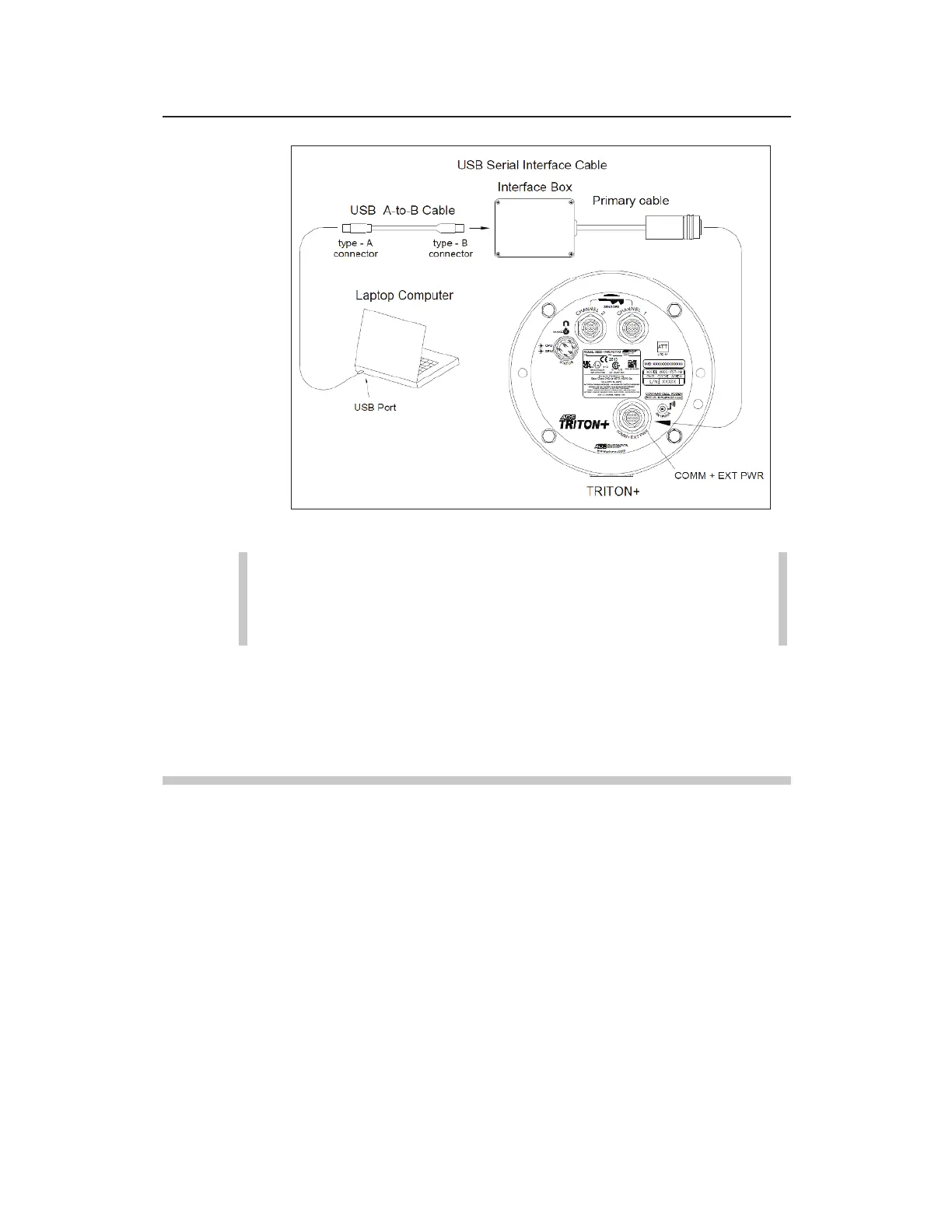
Connecting the USB Serial Interface Cable to a Laptop and Monitor
Note: When using the optional extension cable (ADS p/n
8000-0044-25), run it between the monitor and the USB
Serial Interface cable.
4. Designate the appropriate local USB port on the computer for
communication through the Qstart
XML
software. For more
information, refer to the Qstart
XML
online help.
Connecting to the Monitor through the ExPAC
1. Insert the Type A connector from the standard USB cable into
the proper USB port on the computer.
2. Insert the Type B connector from the other end of the USB
cable into the USB port on the top of the ExPAC.



 To Next Page