External Power 6-5
mount the XIO/XBUS in a location that prevents tampering or
potential damage from occurring.
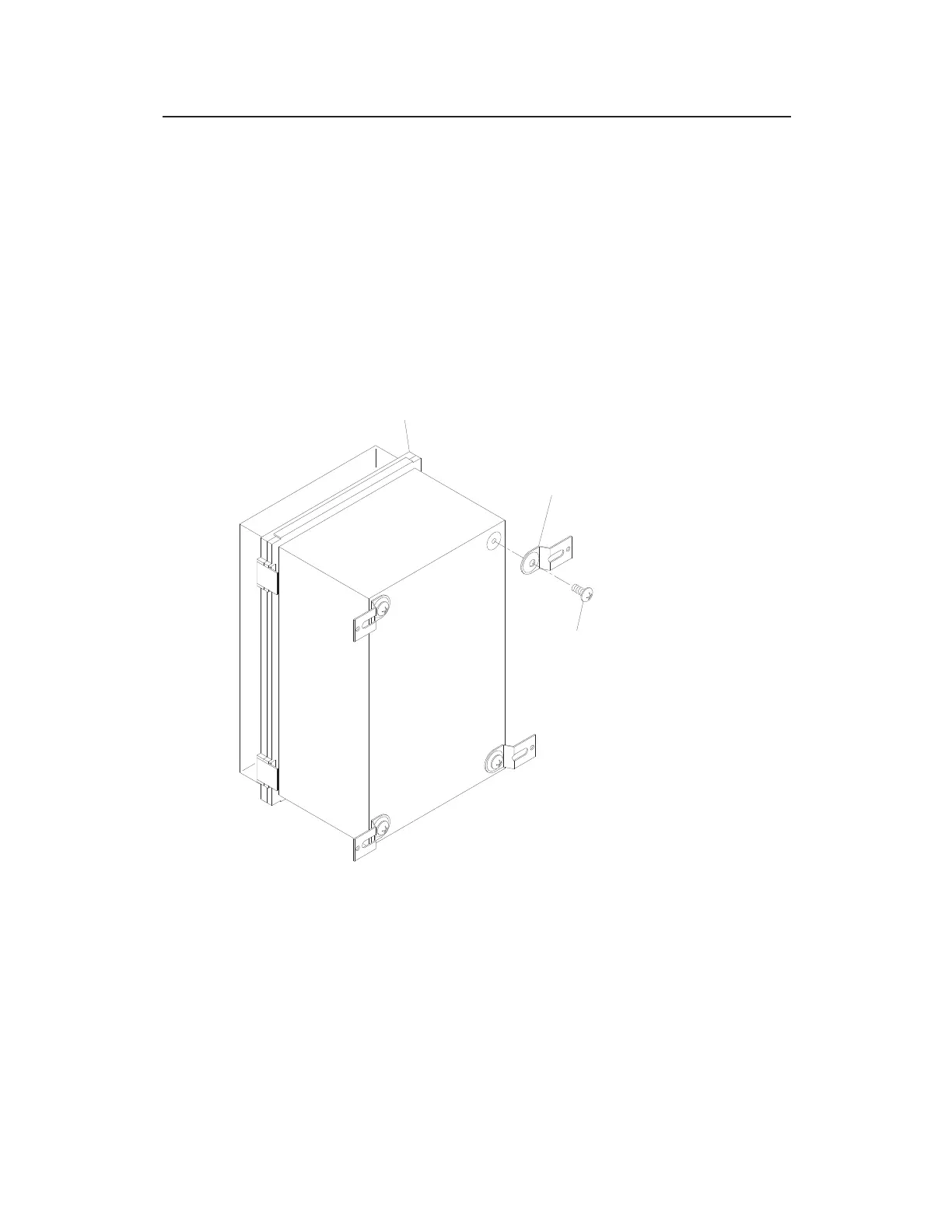
1. Turn over the XIO/XBUS, and locate the four holes on the
back of the unit.
2. Attach the four mounting brackets to the back of the
XIO/XBUS using the mounting bracket screws. The brackets
and screws are included with the XIO/XBUS. Refer to the
following figure for details on how to secure the mounting
brackets to the unit.
Attaching the mounting brackets to the back of the XIO/XBUS
3. Identify the location on the wall, other solid structure, or rack
at which you want to mount the XIO/XBUS.
4. Secure the XIO/XBUS to the surface or rack through the
mounting brackets using appropriate fasteners (supplied by the
customer).
XIO/XBUS
MOUNTING BRACKET
MOUNTING BRACKET
SCREW



 To Next Page