Monitor Installation 7-5
4. Twist a nut onto the anchor bolt, but do not tighten it down.
Leave enough space between the nut and the wall for the
thickness of the mounting bracket.
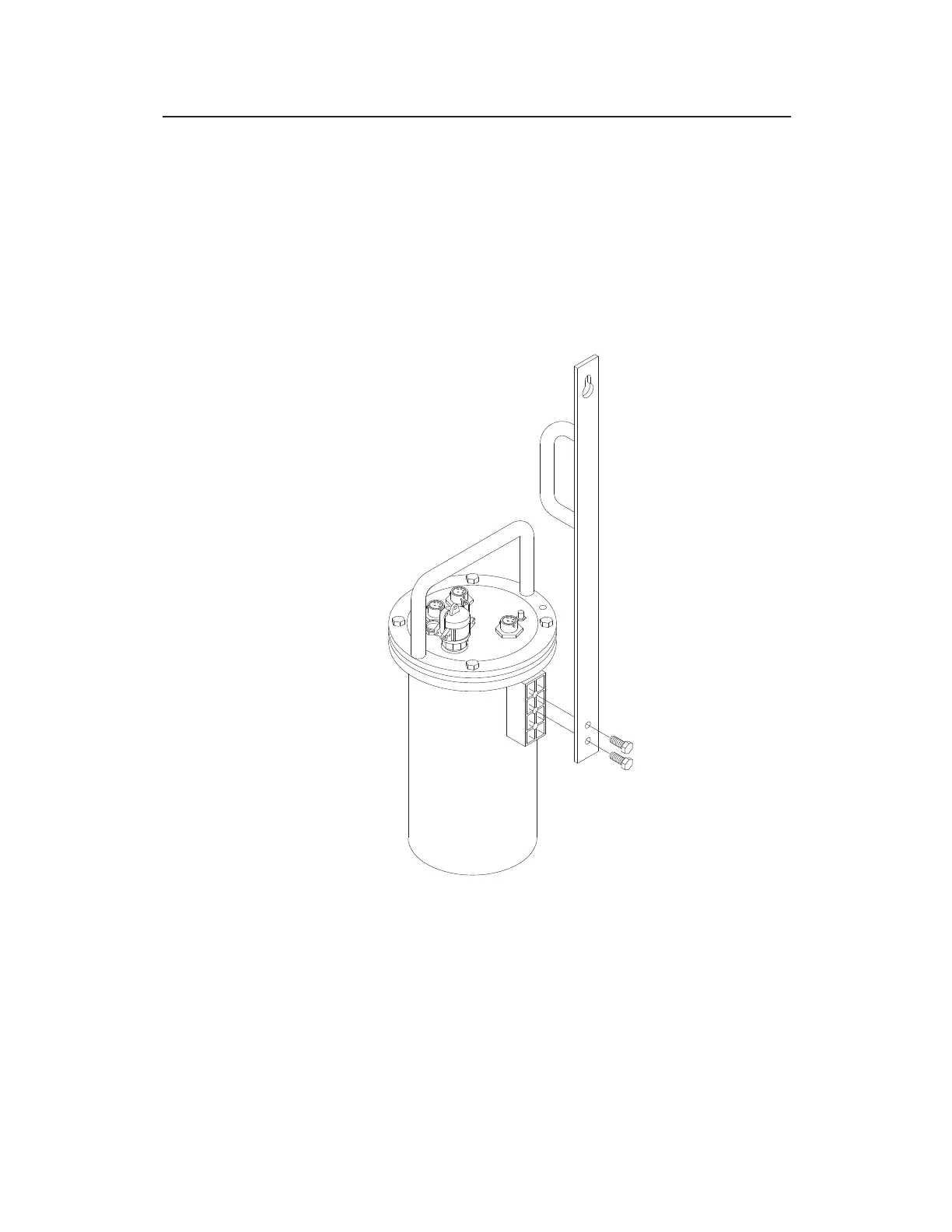
5. Mount the bottom of the bracket onto the monitor mounting
flange with two M8 x 30-mm stainless steel bolts, two M8
stainless steel lock washers, and two M8 stainless steel flat
washers (supplied with the TRITON+ when shipped).
Bolting the mounting bracket to the flange welded to the monitor
6. Carefully lower the monitor into the manhole, and place the
keyhole of the mounting bracket over the anchor bolt.



 To Next Page