System Configuration and Setup for Telog Ru-33 D-3
from which to request the data. The default ID is 1 (one). Do
not change this value!
x Modbus Delay Response This represents the amount of
time, in milliseconds, following the request before the monitor
will return the requested Modbus output data to the Ru-33.
ADS recommends maintaining the 10 ms default setting.
x Enable This box must be checked to activate the Modbus
configuration.
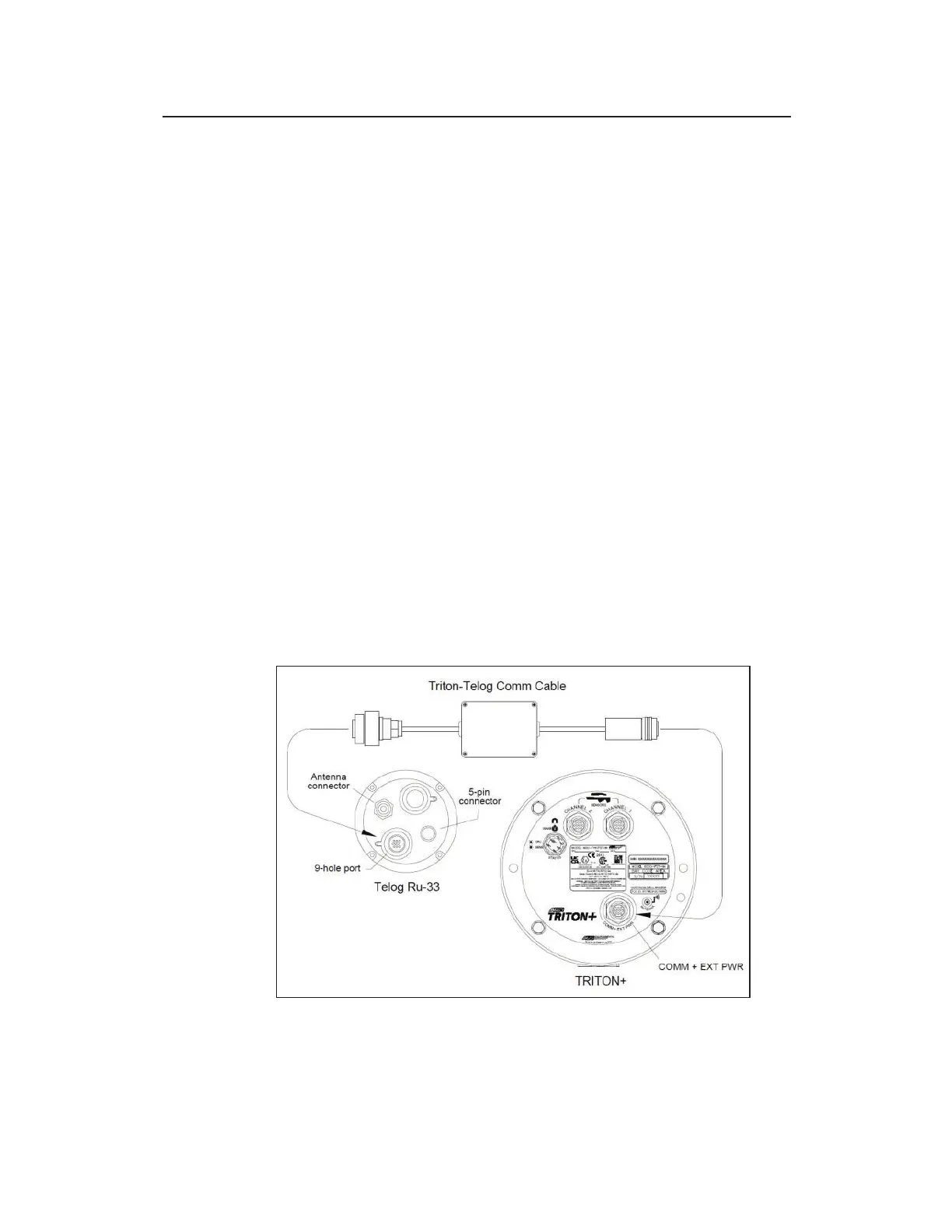
Connecting the Monitor to the Ru-33 or Ru-35
Connecting the TRITON+ to the Ru-33 requires the ADS Triton-
Telog Comm Cable (ADS p/n 8000-0054-01). Connecting the
TRITON+ to the Ru-35 requires the ADS Triton Telog Comm
Cable (ADS p/n 8000-0054-02). First, connect the black, metal
connector (with gray, plastic boot) from the comm cable to the
COMM + EXT PWR port on top of the TRITON+.
Then, connect the black, plastic connector from the comm cable to
either sensor port on the Ru-33 or Ru-35. The sensor port is the 9-
hole port.
Connecting the Telog Ru-33 or Ru-35 to the TRITON+ monitor using the
Triton – Telog Comm Cable



 To Next Page