System Configuration and Setup for Telog Ru-33 D-5
Connecting the Monitor to the Wavelet 4R
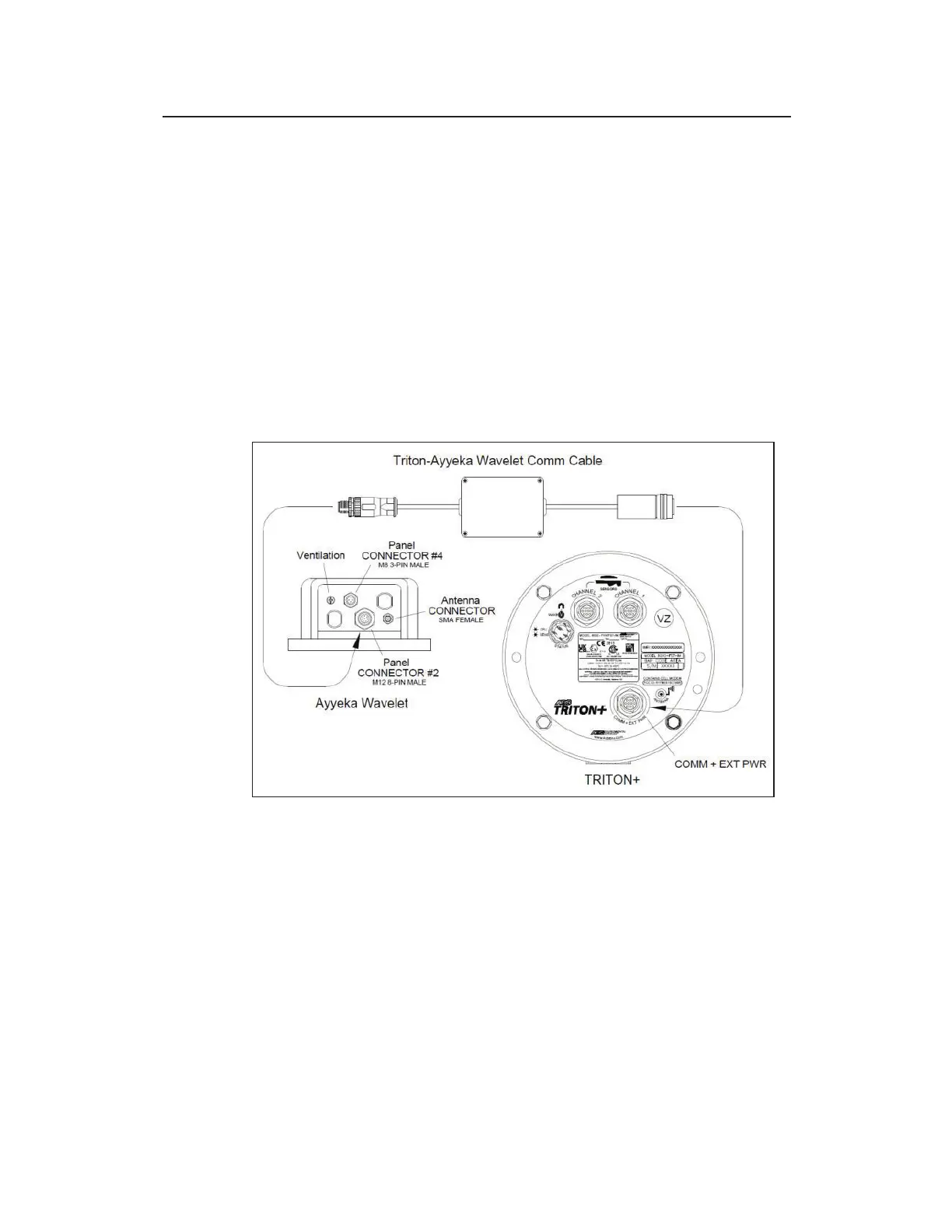
Connecting the Ayekka Wavelet to the TRITON+ requires the ADS
Ayyeka Wavelet Comm Cable (ADS p/n 8000-0054-03). First,
connect the black, metal connector (with gray, plastic boot) from
the comm cable to the COMM + EXT PWR port on top of the
TRITON+.
Then, connect the black, plastic connector from the comm cable to
the 8-pin connector port on the Wavelet 4R.
Follow Ayyekka Wavelet instructions to set up, configure and
install the Wavelet 4R.
Connecting the Wavelet 4R to the TRITON+



 To Next Page