AEQ Audio Over IP
Routing System
43
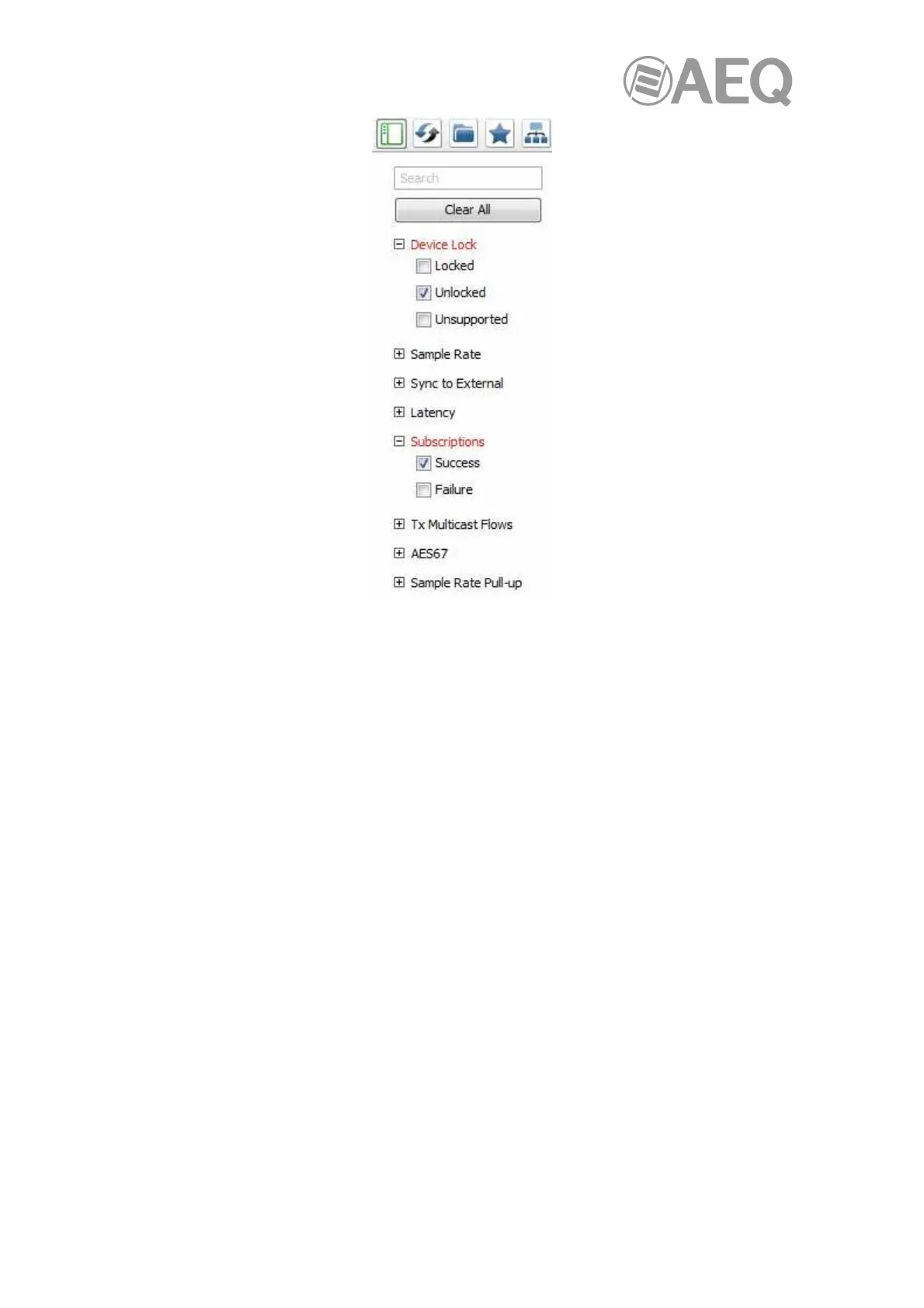
To filter devices for a particular condition or set of conditions, just select the required checkbox
or combination of checkboxes.
Use the "Clear All" button to clear the selections from all filters.
• Device Lock Filter:
Use the Device Lock filter to display devices with a specific lock state:
- To display only locked devices, select the 'Locked' checkbox.
- To display only unlocked devices, select the 'Unlocked' checkbox.
- To display locked and unlocked devices, select both the 'Locked' and
'Unlocked' checkboxes.
- To display devices that do not support Device Lock, select the 'Unsupported'
checkbox.
• Sample Rate Filter:
Use the Sample Rate filter to display devices with a specific sample rate setting:
- To display only devices with a particular sample rate, select the appropriate
checkbox.
- To display only devices with one of a selection of sample rates, click the
appropriate checkboxes.
• Sync to External Filter:
Use the Sync to External filter to display devices with a specific Sync to External setting:
- To display only devices with Sync to External enabled, select the 'Enabled'
checkbox.
- To display only devices with Sync to External disabled, select the 'Disabled'
checkbox.



 To Next Page