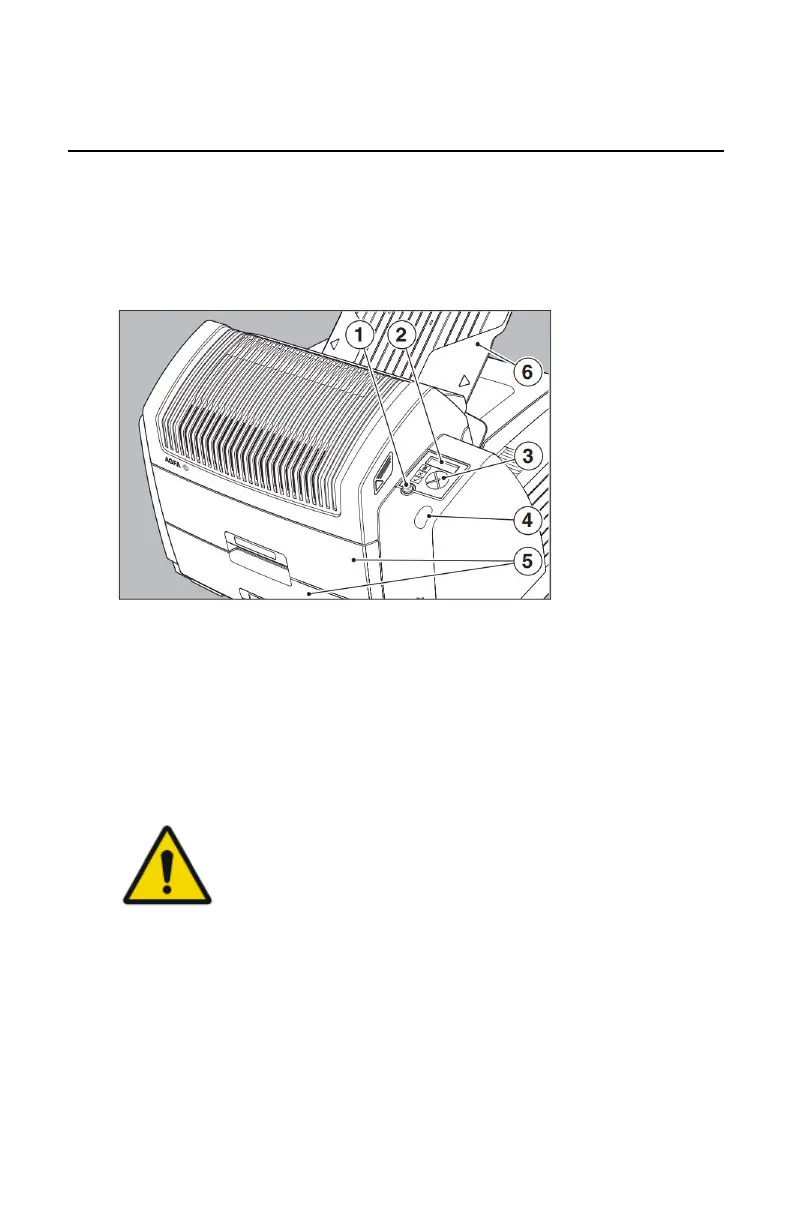
The local user interface
The printer interfaces with the user via the following controls:
• Power/Reset button;
• a keypad and a display;
• a status indicator LED;
• audio signals.
1.
Power/Reset button
2.
Display
3.
Keypad
4.
Status indicator LED
5.
Film input trays
6.
Film output tray
Figure 5: Overview of user interface controls
WARNING:
Never try to open the printer during printing. Always follow the
instructions on the display!
Topics:
• Messages
• The status indicator LED
• The control buttons
• Rear panel
• Audio signals
• The keypad
56 | Drystar 5301, Drystar 5302 | Introduction
2831F EN 20210601 1655



 To Next Page