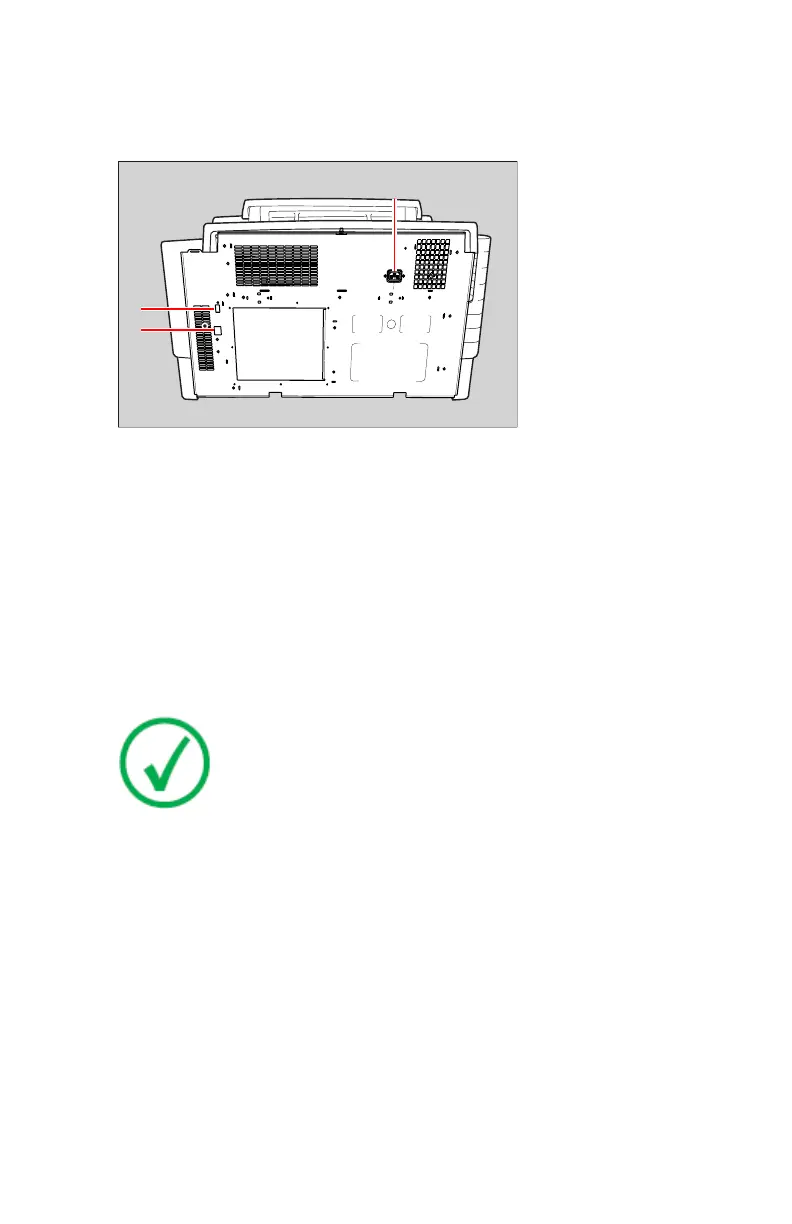
Rear panel
At the rear side of the printer, one slot and three connectors are available:
1.
USB port slot
To insert a USB flash drive for software installation, back-up, etc.
2.
Network connector
To connect to the hospital network.
3.
Power connector
To connect the printer power cord.
Inserting a USB flash drive
The printer is equipped with a USB port, which is located at the rear side.
Note: The USB flash drive must be formatted with the FAT32 file
system. An error will be displayed if a USB flash drive with a
different file system is inserted.
Drystar 5301, Drystar 5302 | Introduction | 61
2831F EN 20210601 1655



 To Next Page