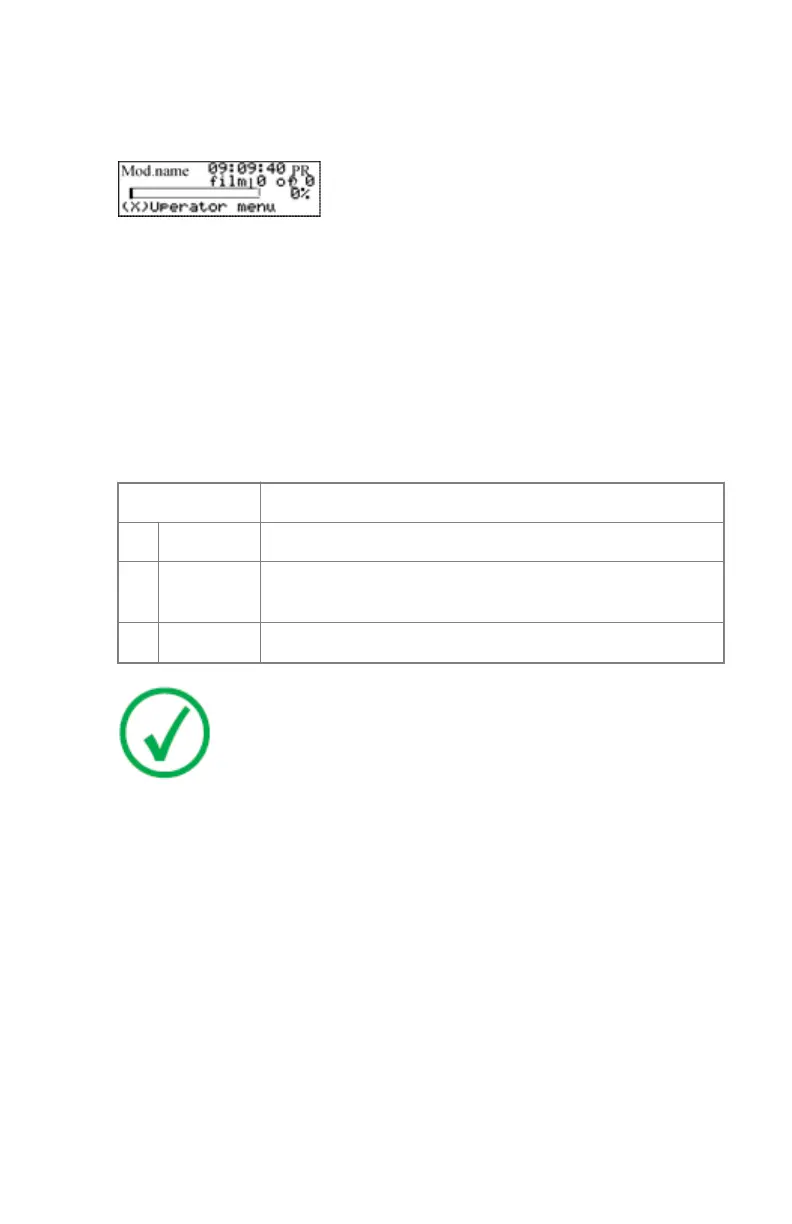
The local print queue screen
During printing, the local display shows the ‘print’ screen:
• The screen shows information on the job that is currently being printed:
the modality name, the time of receipt of the job and the job status (refer
to the table below).
• The progress indicator keeps the user informed of the progress of a
process (e.g., calculation of a bitmap, printing of a film). The line is
gradually filled from left to right, from 0% to 100% as the process
proceeds.
• The last line gives access to the operator menu to pause the print queue, to
view the film count info or to view the printer status.
A description of the possible status of the jobs is listed in the table below:
Status
Description
PR Printing Printing of this job is in progress.
CA Calculating The necessary calculations are already being made before
printing of the job can be started.
WA Waiting Jobs are queued in the printer memory.
Note: On the print queue screen the modality name defined
during installation (nickname) will be used to refer to the
corresponding modality. In case no nickname has been defined
during installation, the AE-title will be used.
Related Links
Pausing the print queue on page 76
Viewing the film count info on page 77
Viewing the printer status on page 78
Drystar 5301, Drystar 5302 | Basic Operation (operator mode) | 75
2831F EN 20210601 1655



 To Next Page