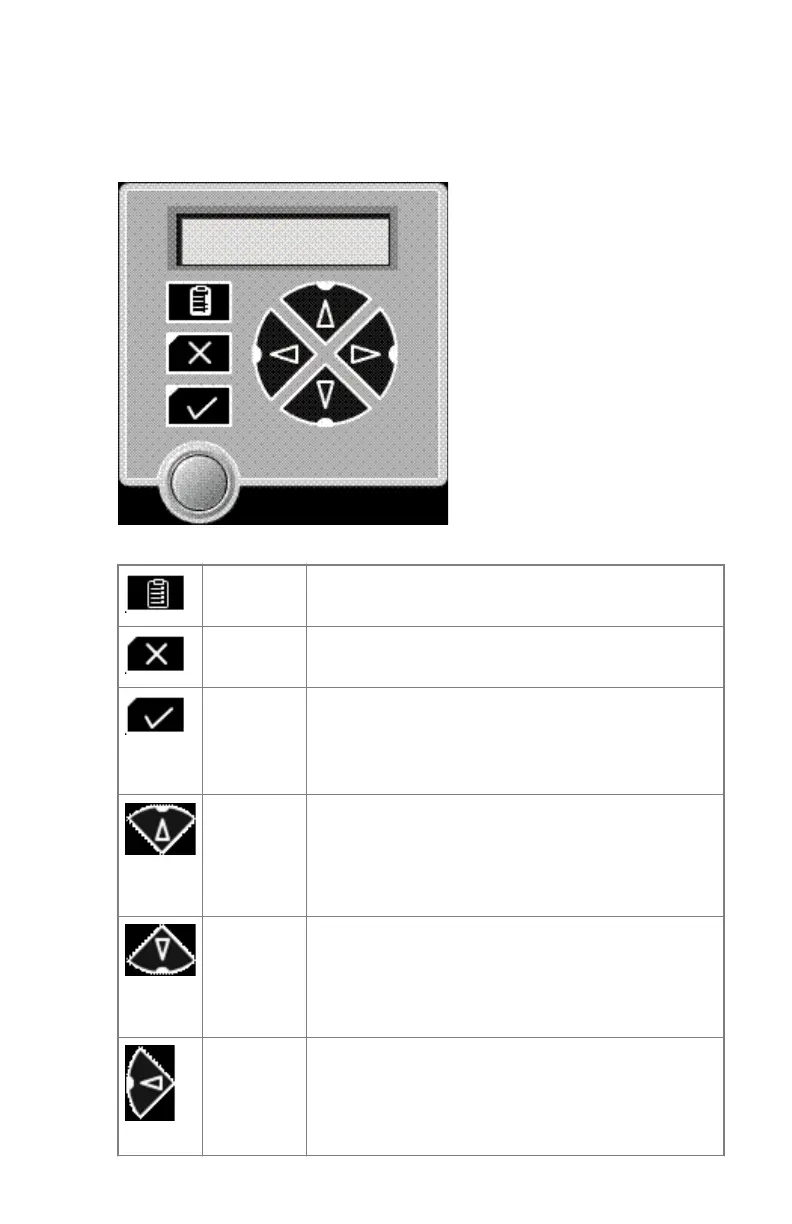
The keypad
The keypad is displayed on the touchscreen. Press the keys on the touchscreen
to use the keypad funcions.
The keypad features the following keys:
Key-opera-
tor key
To access the advanced functions of the Key-opera-
tor mode..
Escape key To quit the current function or exit a menu without
saving modifications.
Confirm
key
(In Key-operator mode)
• To select a menu.
• To accept an entry in a menu.
Up key
• To move the cursor to the previous entry field.
• To scroll upwards.
• To increment the number in a(n) (alpha) nu-
merical entry field.
Down key
• To move the cursor to the next entry field.
• To scroll downwards.
• To decrement the number in a(n) (alpha) nu-
merical entry field.
Left key
• To scroll backwards through multiple choices
within a field.
• To move the entry position in a(n) (alpha) nu-
merical entry field from right to left.
Drystar 5301, Drystar 5302 | Introduction | 63
2831F EN 20210601 1655



 To Next Page