Agilent 2200 TapeStation System - User Manual 75
Maintenance
5
Changing the Needle
Changing the needle cartridge
1 Remove the sample plate and tip holder.
2 Remove the foil tab from the top of the needle cartridge.
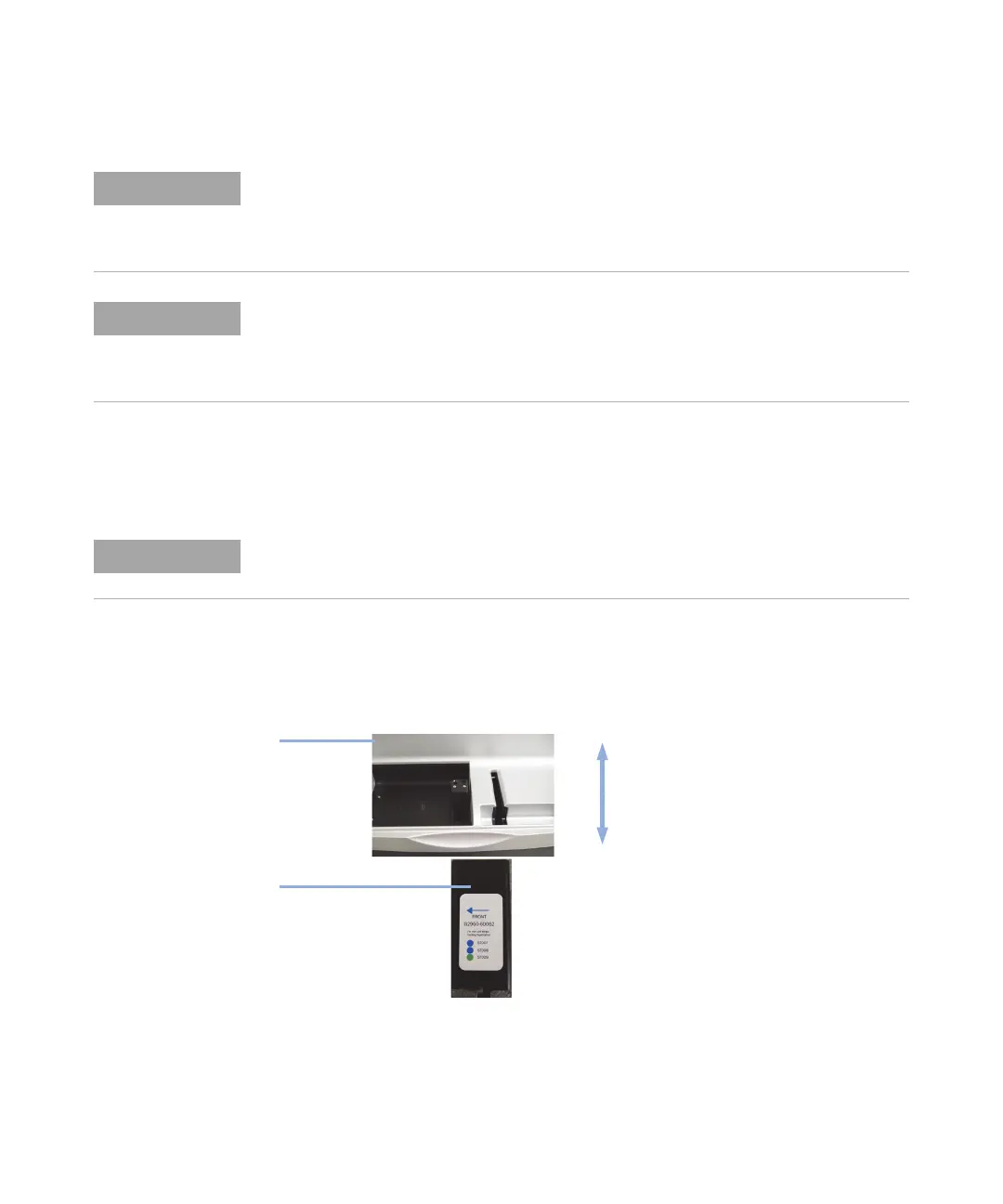
3 Insert the needle cartridge into the tip holder space, using the label for
orientation. The cartridge should be placed so that the label faces to
the right, and the printed arrow points to the front of the
2200 TapeStation instrument.
4 Close the lid.
5 Go to Needle Change on the 2200 TapeStation Controller Software toolbar
and select Run.
The needle replacement procedure as detailed below is performed during the annual
Preventative Maintenance procedure.
Customers with high throughput may require additional needle changes between PM
services, and should use the table above to order the correct parts for their instrument.
New needle cartridges can be ordered at any time from Agilent Technologies by contacting
your local sales agent.
For details on the correct needle cartridge for your 2200 TapeStation instrument, refer to
Ta b l e 2 on page 73.
Care must be taken to keep the needle cartridge level after removing the foil tab
Needle cartridge
Front
Rear
TapeStation
instrument







 To Next Page