Maintenance and Troubleshooting 5
708-DS / 709-DS Operator’s Manual 127
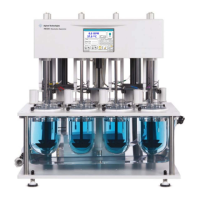
Accessing the Top Cover
Removing Top Cover
1 Ensure the Lift Drive is in the full, down operational position. Turn
off the power and remove the power cord.
2 Lower all paddle / basket shafts or remove them from the machine.
3 Remove the top screws from the front and back of the cover. Remove
the left- and right-side screws from bottom sides of cover.
4 If a printer is installed in the top cover, lift the cover up
approximately six inches and remove the two cable connectors from
the printer inside.
5 Remove the cover away from the instrument.
Replacing the Top Cover
1 If a printer is installed in the top cover, reconnect the cable
connectors to the printer inside the cover.
2 Press the cover down into place, aligning the front holes with the
respective dosage delivery module (DDM) openings, and slipping
over the left-hand power switch.
3 Re-fasten the cover screws.


 To Next Page
 Loading...