Use and Maintenance Manual - X_RT Series Page 29
5. USE INSTRUCTIONS
Before using the machine read this chapter thoroughly.
Follow exclusively the instructions given in the next paragraphs and the safety rules described both
hereafter and in the previous paragraphs. Read the next paragraphs carefully in order to properly
understand the on/off procedures as well as all operations and their correct use.
5.1 Platform control panel
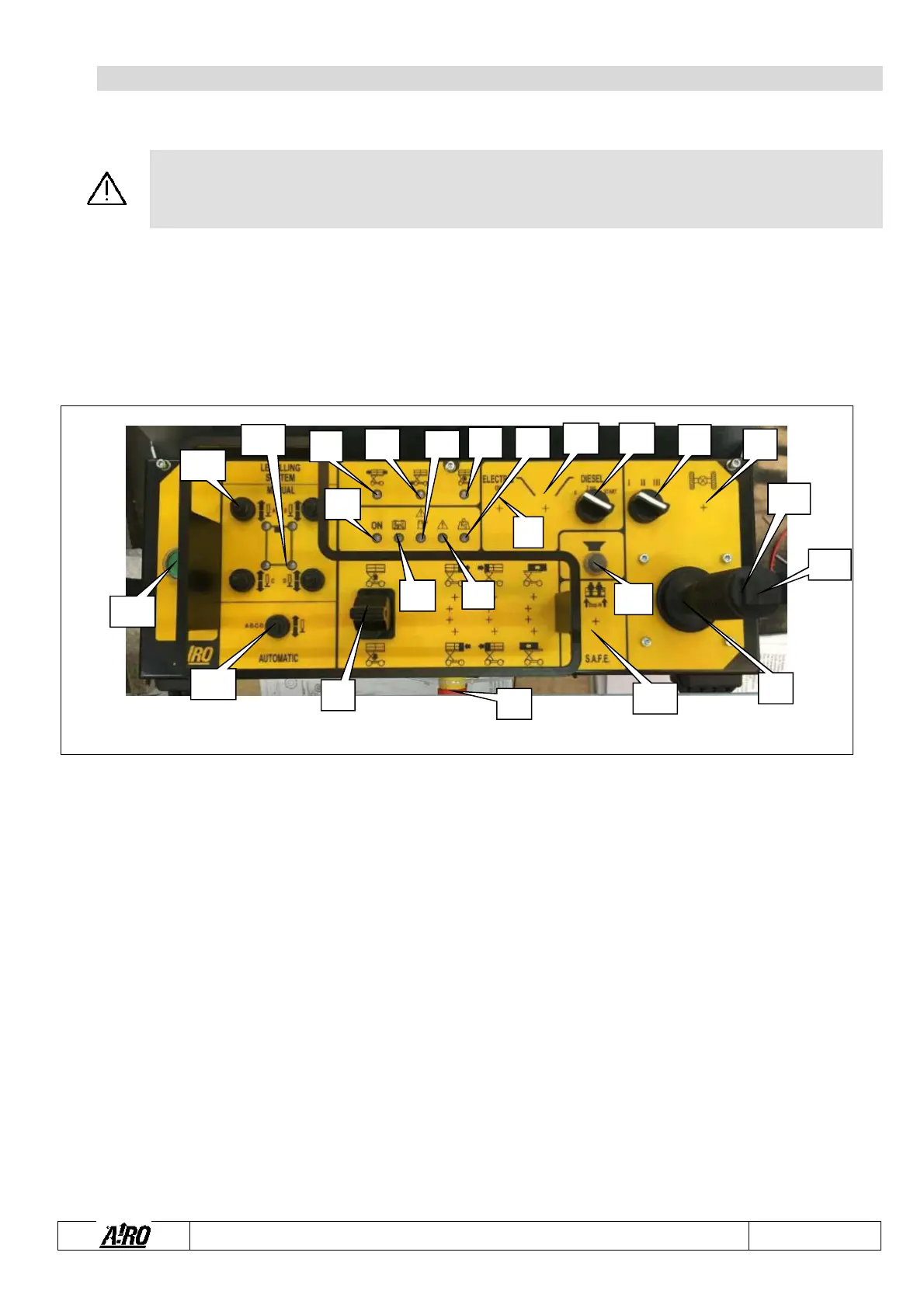
The control panel is located on the platform. The control panel is fixed to the front guard rail and is used to:
Turn the machine on/off.
Move the platform during ordinary working procedures.
Display some operation parameters (alarms, deadman’s working, etc…).
Fig.5
Drive and steering proportional joystick control
Left steering control switch
Right steering control switch
Lifting/lowering control proportional lever
Diesel engine start button
Diesel/electric drive power selector (optional)
phase electric pump start/stop button (optional)
Differential lock button (series/parallel connection drive motors)
Enabled control panel warning light
Sliding platform position warning light (only for machines with sliding platform)
Flat battery warning light
Drive enable warning light
light (unsteady position and faults indicator)
Lifting enable warning light
Overload alarm warning light
Diesel engine fault / low fuel level warning light
Manual levelling outriggers control switches (optional)
ling outriggers position warning lights (optional)
Automatic levelling control switch (optional)
A
A1
A2
B
F
G H
I
P
Q
R
T U
A
B
C
D
E
"


 To Next Page