23.Integration with Third Party Device
23.1.Integration via Wiegand
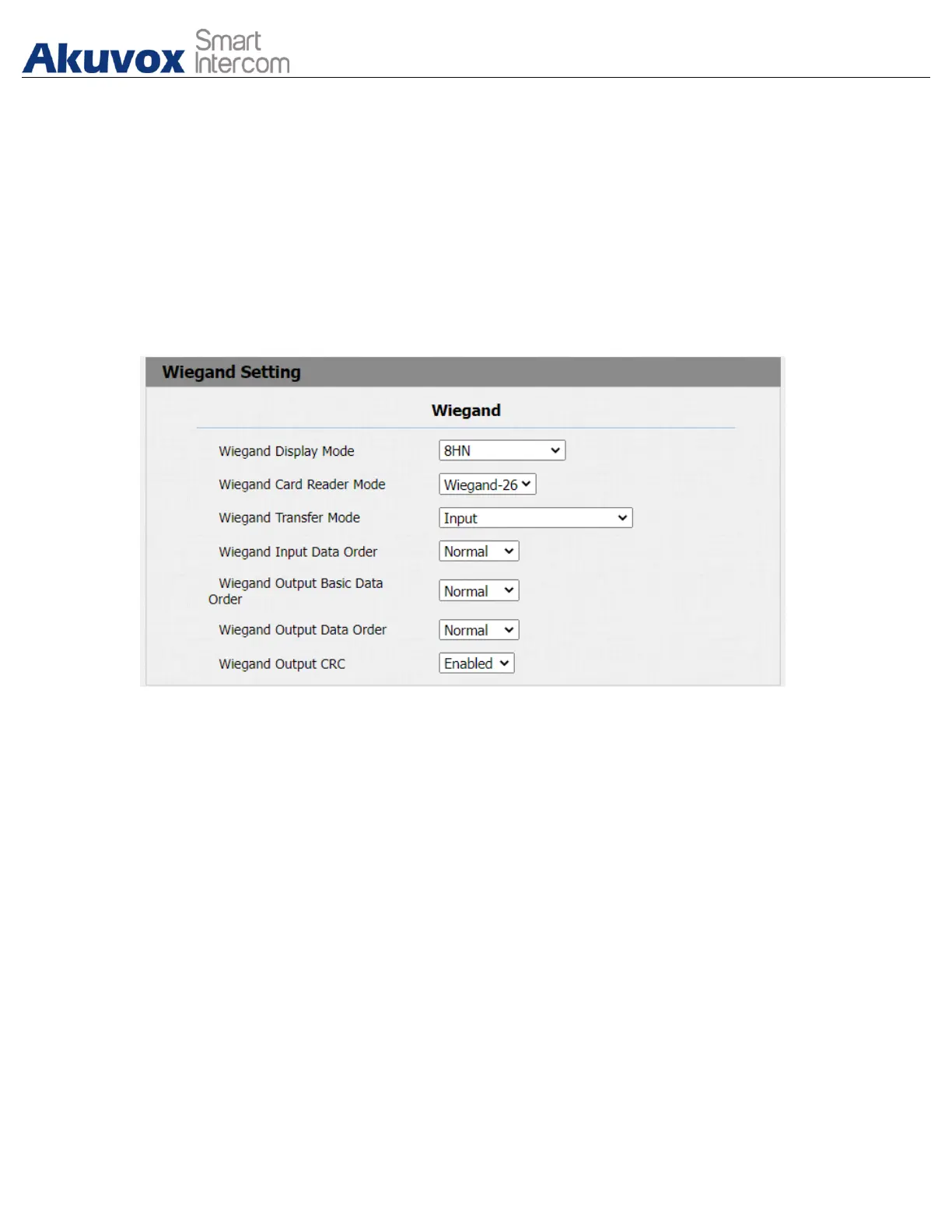
If you want to integrate Akuvox door phone with third party devices via Wiegand,
you can configure the Wiegand on the web interface. Path: Intercom >
Wiegand.
Parameter Set-up:
● Wiegand Display Mode: select Wiegand Card code format among 8H10D;
6H3D5D; 6H8D; 8HN; 8HR; RAW.
● Wiegand Card Reader Mode: set the wiegand data transmission format
among three options: “Wiegand 26”, “Wiegand 34”, “Wiegand 58”. The
transmission format should be identical between the door phone and the
device to be integrated.
● Wiegand Transfer Mode: select Input, Output, Convert to Card
No.OutputWiegand.# # If the door phone is used as a receiver, then set it as
“Input” for the door phone. Select “Output” if you want wiegand output to be
converted to card number before sending it from the door phone to a
receiver. For facial recognition access, the user card number corresponding
to the facial recognition access will be sent out in binary system.
● Wiegand Input Data Order: set the Wiegand input data sequence between
“Normal” and “Reversed” if you select “Reversed” then the input card number
will be reversed and vice versa.


 To Next Page
 Loading...









