— 20 —
SYSTEM INTRODUCTION
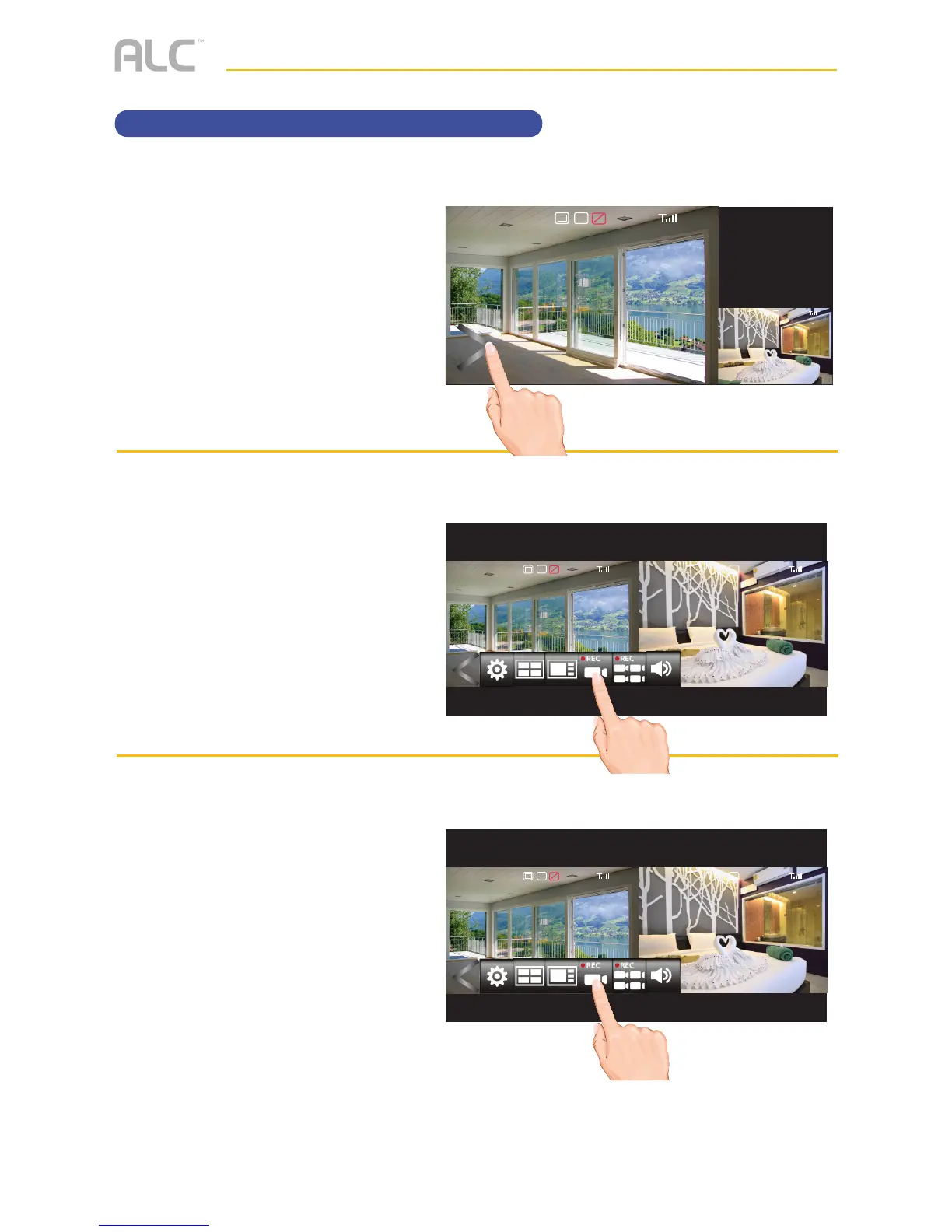
Recording Live Video
u
Make sure a Micro SD card,
HDD or Flash Drive is installed,
see page 11.
Tap on the Open/Close icon to
open the Menu options.
v
Tap the Record icon to start
recording the selected camera/
screen (REC appears on the
top left side of screen) or the
Record All icon to record all
cameras/screens; the Record
indicator will appear at the top
right of the screen.
w
To stop recording, tap the
respective icon again.
See the Event List section starting on
page 30 to playback recorded video.
2017/07/05 09 : 34 : 18
V
1080p
C1
SD
2017/07/05 09 : 34 : 18
C1
2017/07/05 09 : 34 : 18
V
1080p 1080p
C1 C1
SD
2017/07/05 09 : 34 : 18
V
1080p 1080p
C1 C1
SD



 To Next Page