— 34 —
MAIN MENU
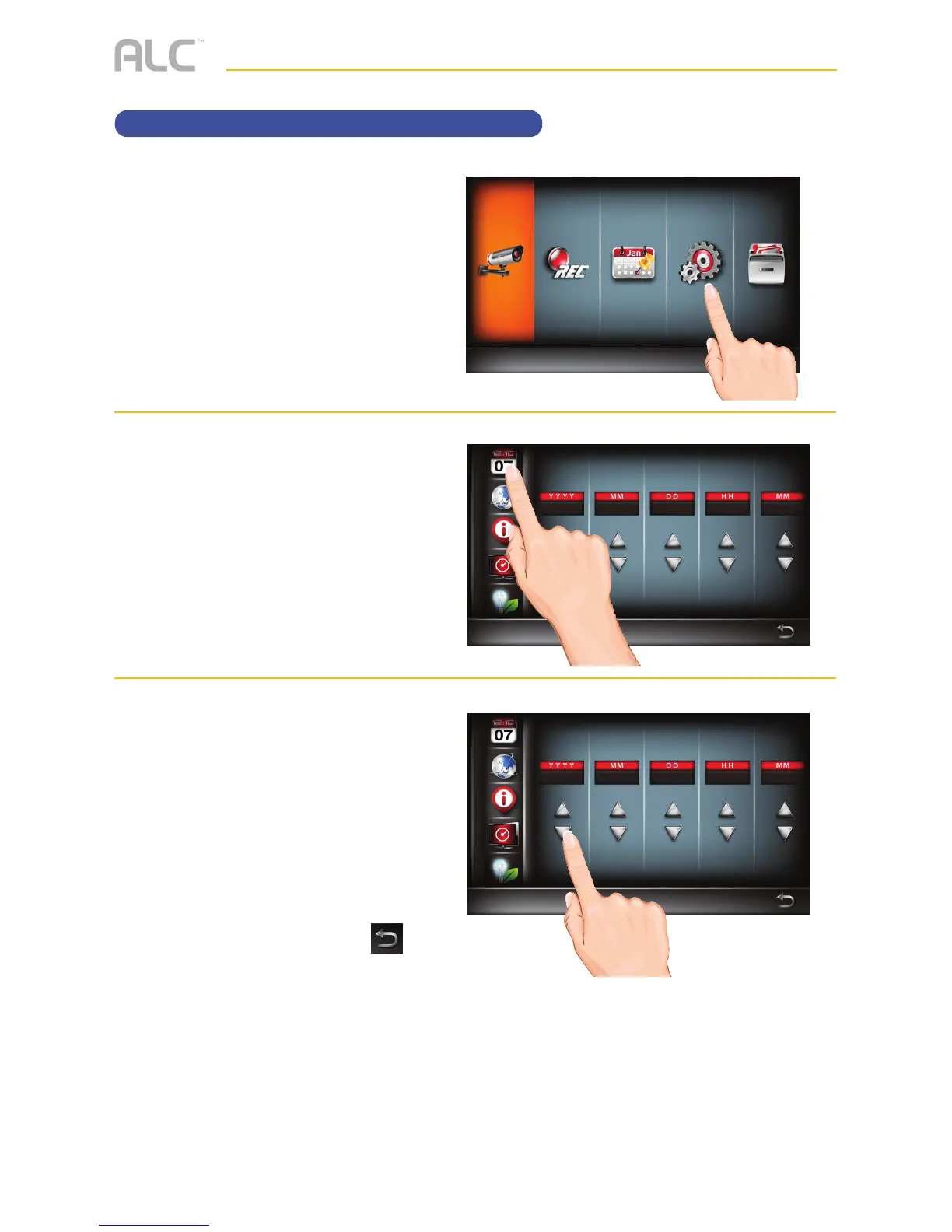
Setting the Date/Time
u
Follow steps 1 through 3 on page
21 to access the Main Menu. Tap
System Setup icon to access
the System screen.
v
Tap the Day and Time icon.
w
Tap the Up icon to increase or
the Down button to decrease
the Year, Month, Day, Hours and
Minutes.
When done setting, tap the
icon to return to the previous
screen.



 To Next Page