EasyManua.ls Logo

ALC AWS3377 - Setting the Language

ALC AWS3377
104 pages
Print Icon
To Next Page IconTo Next Page
To Previous Page IconTo Previous Page
Loading...
— 35 —
— 34 —
MAIN MENU
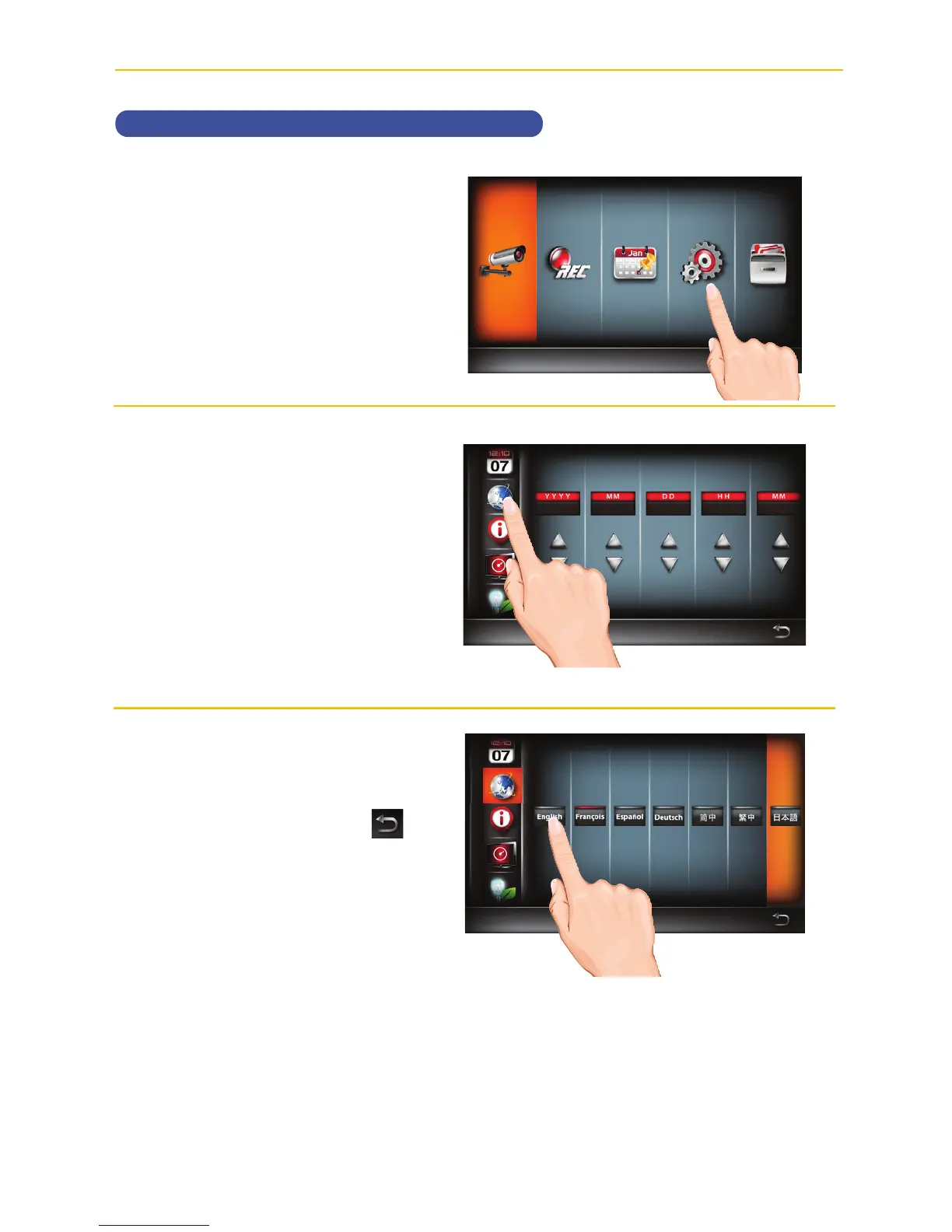
Setting the Language
u
Follow steps 1 through 3 on page
21 to access the Main Menu. Tap
System Setup icon to access
the System screen.
v
Tap the Language icon.
w
Tap the desired system language.
When done setting, tap the
icon to return to the previous
screen.

Detection Setup
Additional setup options
15 16 17 18 19 20 21
22 23 24 25 26 27 28
29 30 31
Detection Setup
Additional setup options
Main Menu
Camera Setup

Table of Contents

Related product manuals