MAIN MENU
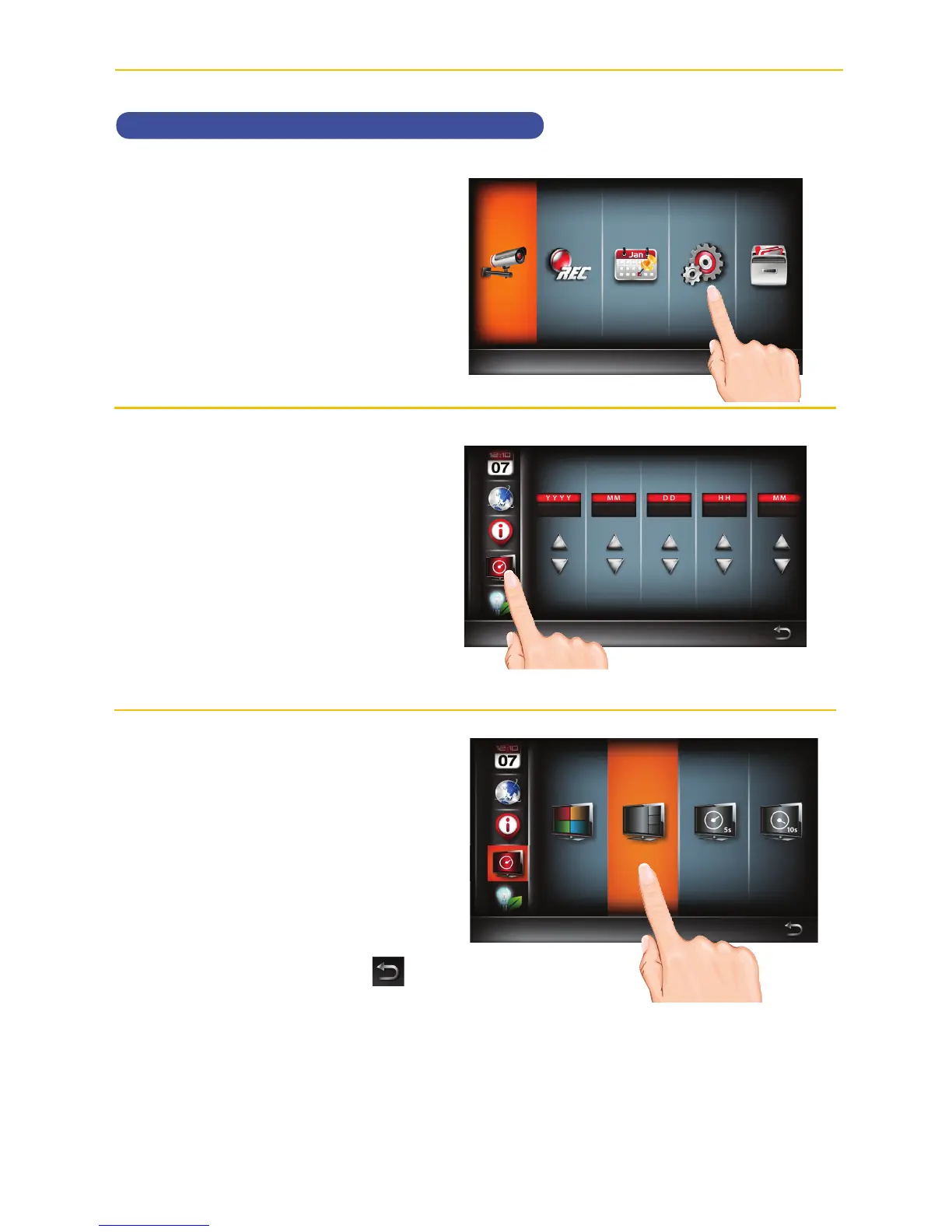
Setting the Idle Display
u
Follow steps 1 through 3 on page
21 to access the Main Menu. Tap
System Setup icon to access
the System screen.
v
Tap the Idle Display Setup icon.
w
This setting allows you to decide
how the cameras will display
during idle (when system is not in
use).
Tap to select Quad, Smart Quad,
or 5 or 10 second Intervals.
When done setting, tap the
icon to return to the previous
screen.



 To Next Page