REMOTE ACCESS
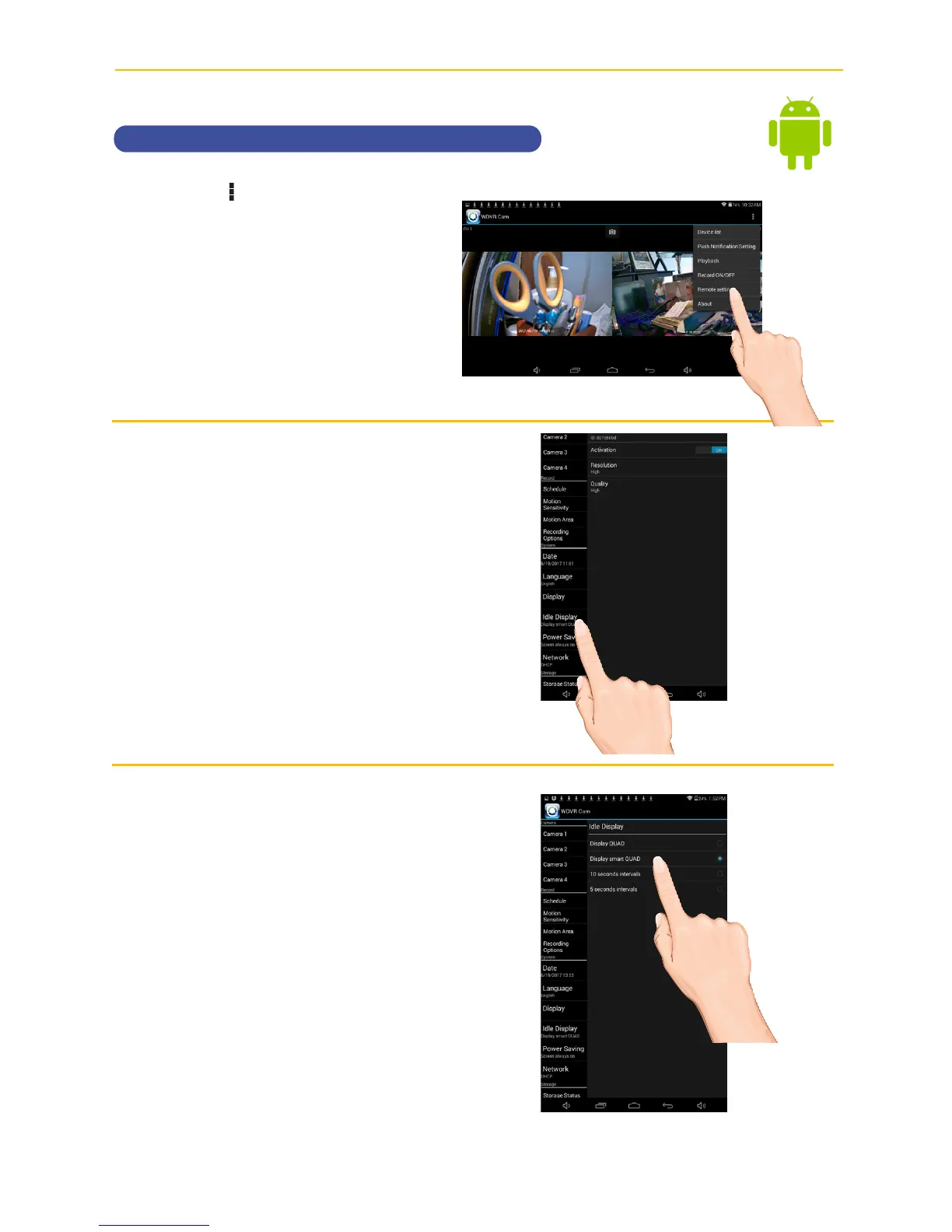
Setting the Idle Display
u
Tap the icon, then tap Remote
Setting
to access the System
Setup screen.
.
v
Tap Idle Display.
w
This setting allows you to decide
if the cameras will display in
quad mode or if they will cycle
individually in 5 or 10 second
intervals. Tap to select Quad,
Smart Quad, or 5 or 10 second
Intervals.



 To Next Page