— 78 —
REMOTE ACCESS
Camera Pairing
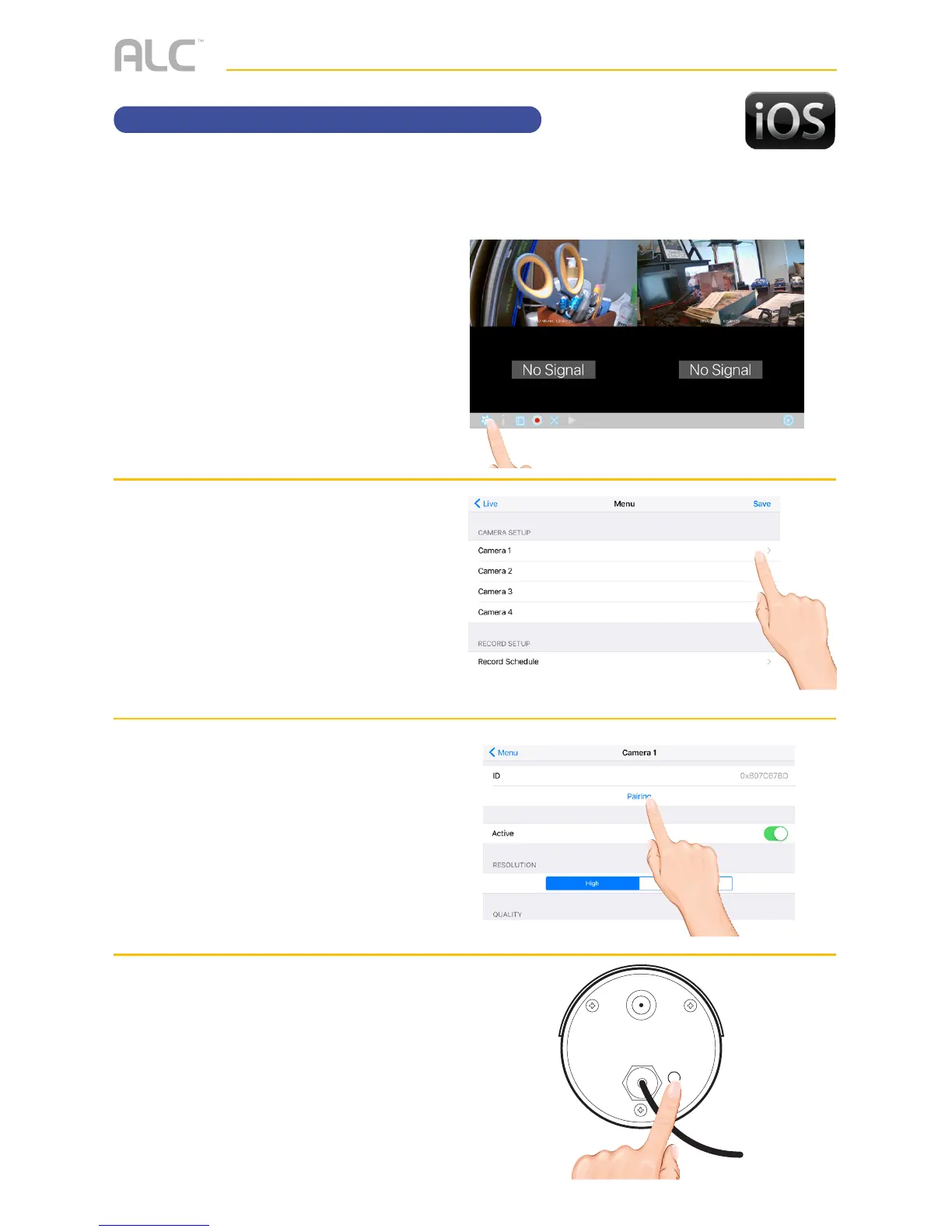
u
Tap the camera in the Devices
menu followed by the 4 button
to view the cam.
Tap the System
Menu icon to access the System
Setup screen.
v
Tap the desired camera to pair.
w
Tap Pairing, “Pairing” and a
countdown will appear on the
screen.
x
Press and Hold the Pairing button
on that camera for 5 seconds.
If pairing is successful “pairing
is successful” appears on the
screen. Tap on it to remove the
message. If a camera is already
assigned to the selected channel,
the monitor overwrites that
camera link with the new one.
Your cameras are paired to the monitor at the factory to channels 1 and 2 (only camera 1 for
AWS337). When you add a new camera to your system, you have to “introduce” the camera
and monitor to each other so they can communicate.



 To Next Page