— 68 —
REMOTE ACCESS
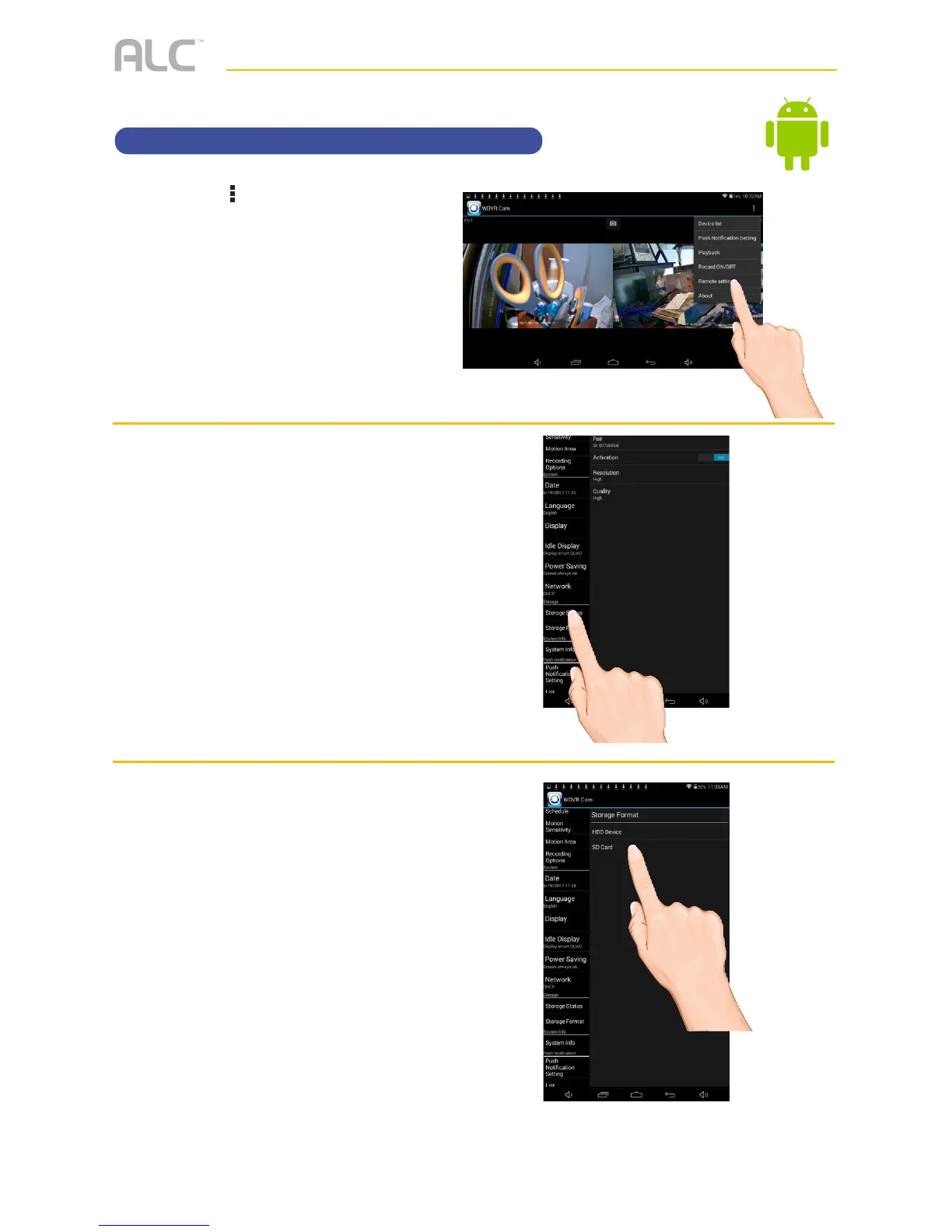
Setting the Storage
u
Tap the icon, then tap Remote
Setting
to access the System
Setup screen.
v
Tap Storage Status.
w
Select the desired MAIN drive
to record onto: microSD Card
(in the microSD slot) or the drive
connected to the USB jack; a
check mark will appear in the box.
To allow the unit to record over
old files, select the device and the
change to Overwrite.



 To Next Page