— 40 —
MAIN MENU
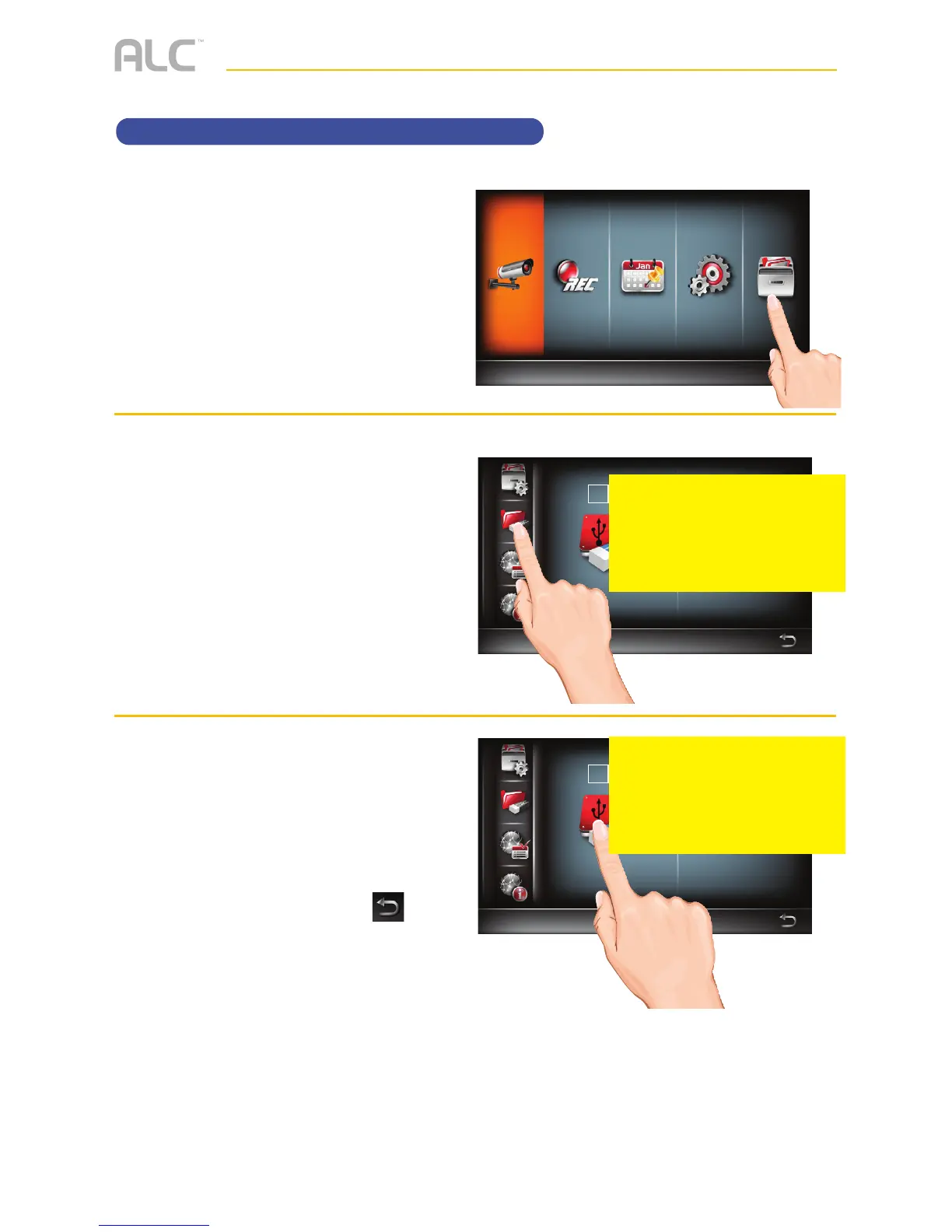
Formatting a Drive
u
Follow steps 1 through 3 on page
21 to access the Main Menu. Tap
Storage Setup icon.
v
Tap the Storage Format icon.
w
Tap the desired drive to format
once to select it and again to
reformat it which will erase the
drive and format it to be used with
this system.
When done setting, tap the
icon to return to the previous
screen.
Storage Status
Select Storage Device for Recording
Storage Status
Select Storage Device for Recording
Main Menu
Camera Setup
PLEASE SEND
CORRECT
DISPLAY
PLEASE SEND
CORRECT
DISPLAY



 To Next Page