— 64 —
REMOTE ACCESS
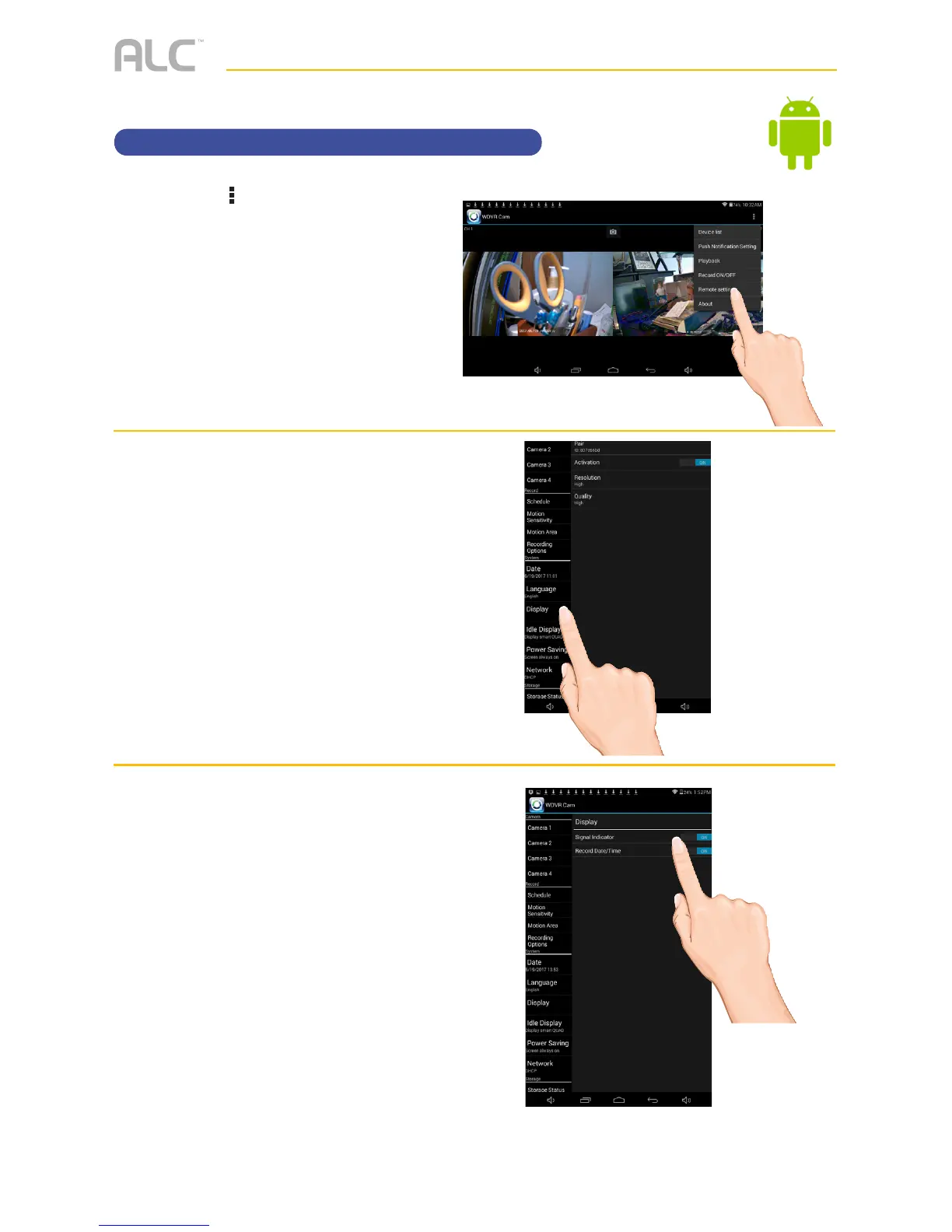
Setting the Image Appearance
u
Tap the icon, then tap Remote
Setting
to access the System
Setup screen.
v
Tap Display.
w
Tap
Signal Indicator
to turn it
on (icon will turn green) which will
show the signal strength on the
videos. Tap again to turn off.
Tap
Record Date/Time
to turn it
on (icon will turn green) which will
show the time and date on the
videos. Tap again to turn off.



 To Next Page