REMOTE ACCESS
Turning a Camera On or Off
u
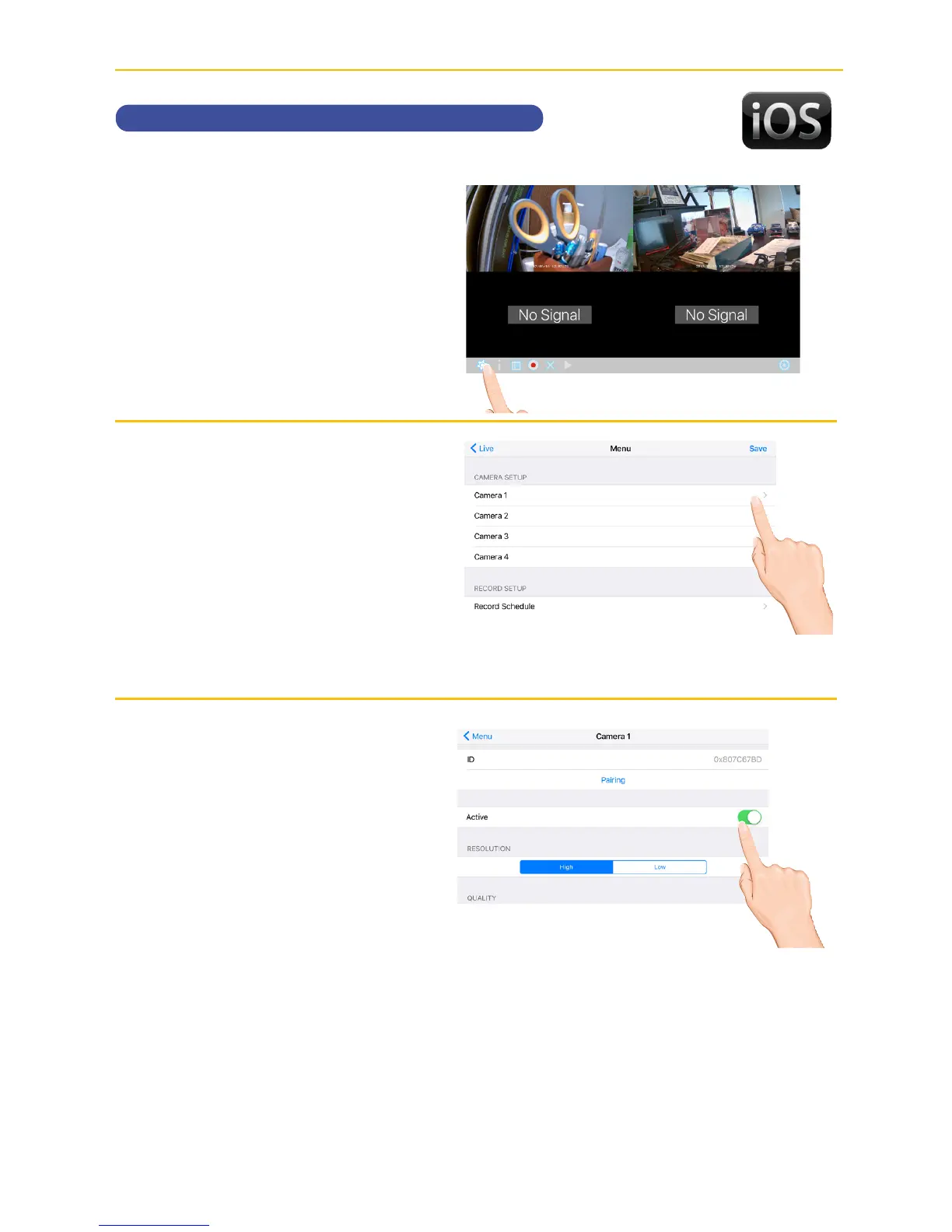
Tap the camera in the Devices
menu followed by the 4 button
to view the cam.
Tap the System
Menu icon to access the System
Setup screen.
v
Tap the desired camera that you
want to turn on or off.
w
Tap the Active switch to turn the
selected camera on or off.



 To Next Page