— 72 —
REMOTE ACCESS
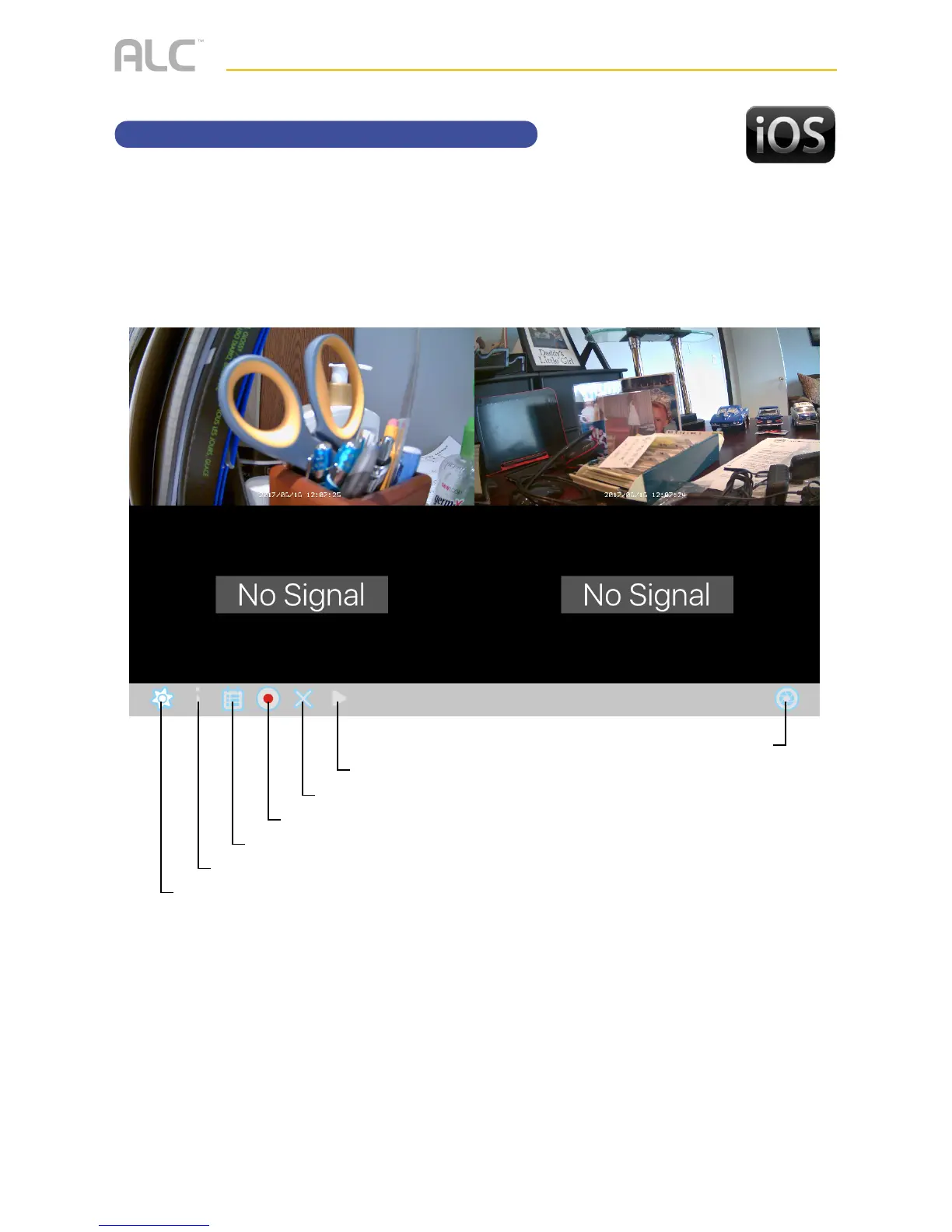
WDVR Main Screen and Icons
u
Tap the camera in the Devices menu followed by the 4 button to view the camera(s).
Click anywhere on the screen to bring up the App icons. See below for icon descriptions
Tap to view camera(s)
Tap to take a snapshot/picture of the screen
Tap to stop live view
Tap to record or stop recording, see page 73 for details
Tap to view the recorded videos, see page 75 for details
Tap to ????? Push Notication when xx is set. See page 90 for details
Tap to enter the system setup menu, see pages 78-94 for details



 To Next Page