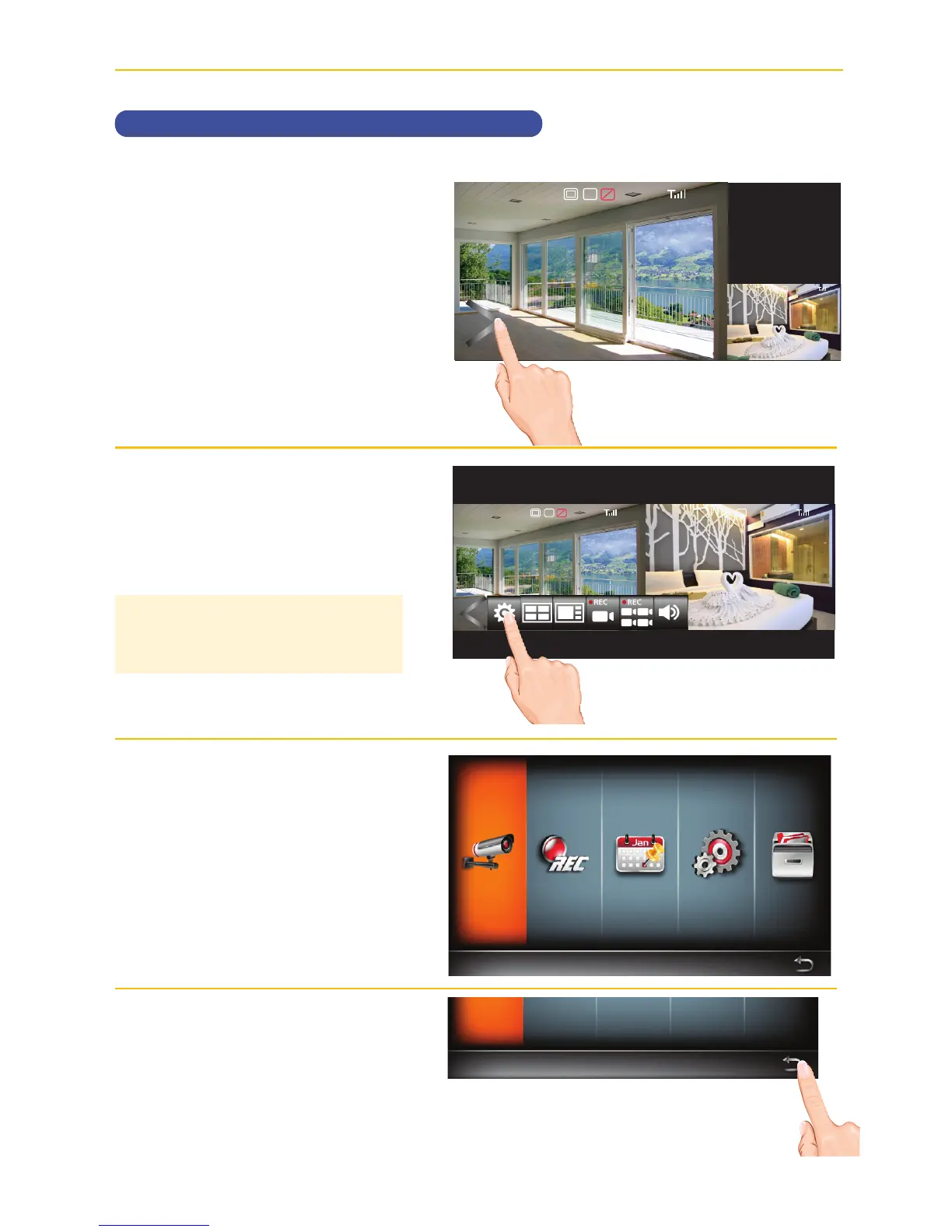
MAIN MENU
Main Menu
u
Tap on the Open/Close icon to
open the Menu options.
v
Tap the Options icon to enter the
Main Menu.
w
The following screen will appear.
See the following pages for the
System settings.
x
When in a Setting screen, tap
the return arrow
to return to the
previous screen.
Main Menu
Camera Setup
TIP: Entering the Main Menu while
recording will stop the recording
process.
2017/07/05 09 : 34 : 18
V
1080p
C1
SD
2017/07/05 09 : 34 : 18
C1
2017/07/05 09 : 34 : 18
V
1080p 1080p
C1 C1
SD
Main Menu
Camera Setup



 To Next Page