REMOTE ACCESS
Setting the Storage
u
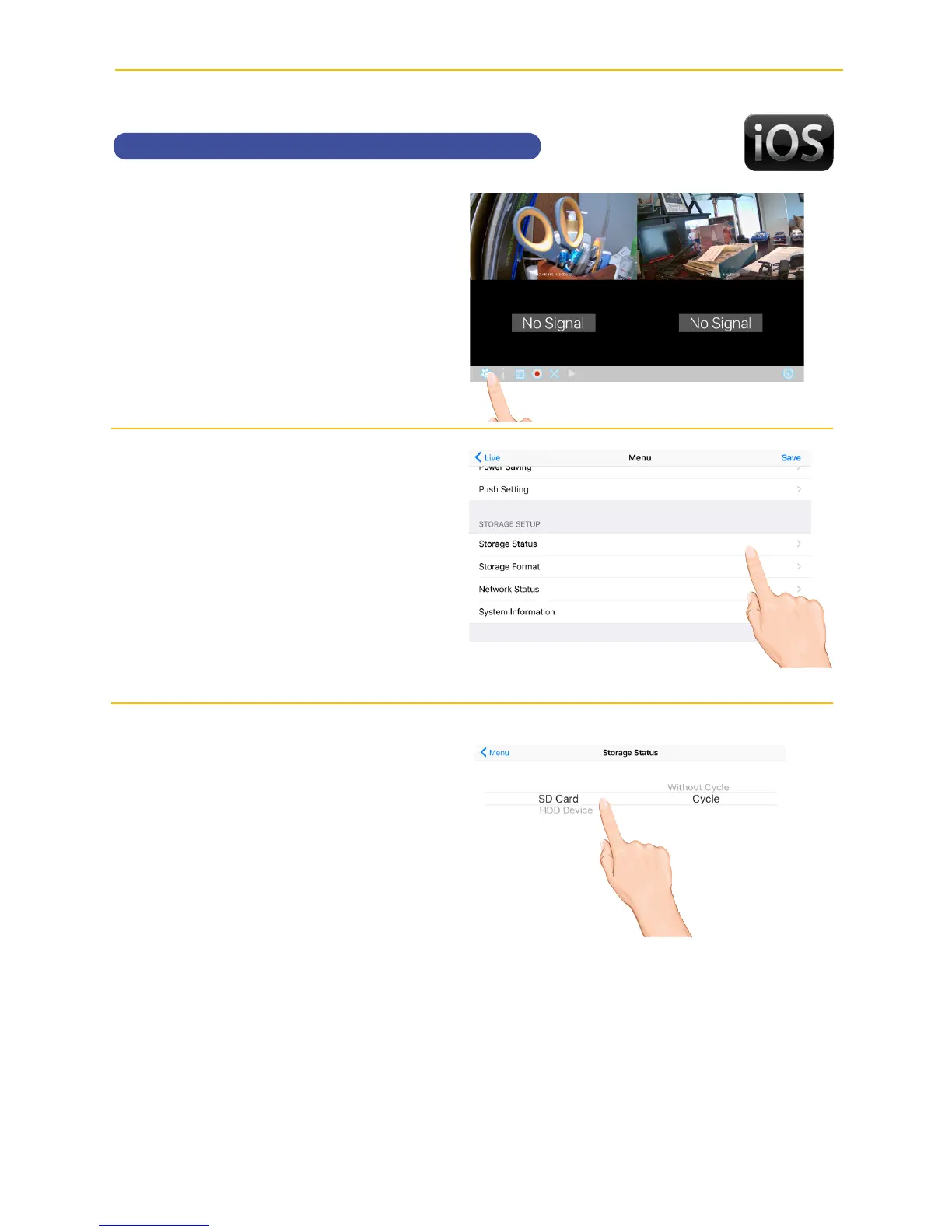
Tap the camera in the Devices
menu followed by the 4 button
to view the cam.
Tap the System
Menu icon to access the System
Setup screen.
v
Tap Storage Status.
w
Select the desired drive to
record onto: microSD Card (in
the microSD slot) or the drive
connected to the USB jack.
To allow the unit to record over old
files, select Cycle. Select Without
Cycle to deactivate.



 To Next Page