REMOTE ACCESS
Detection Options
u
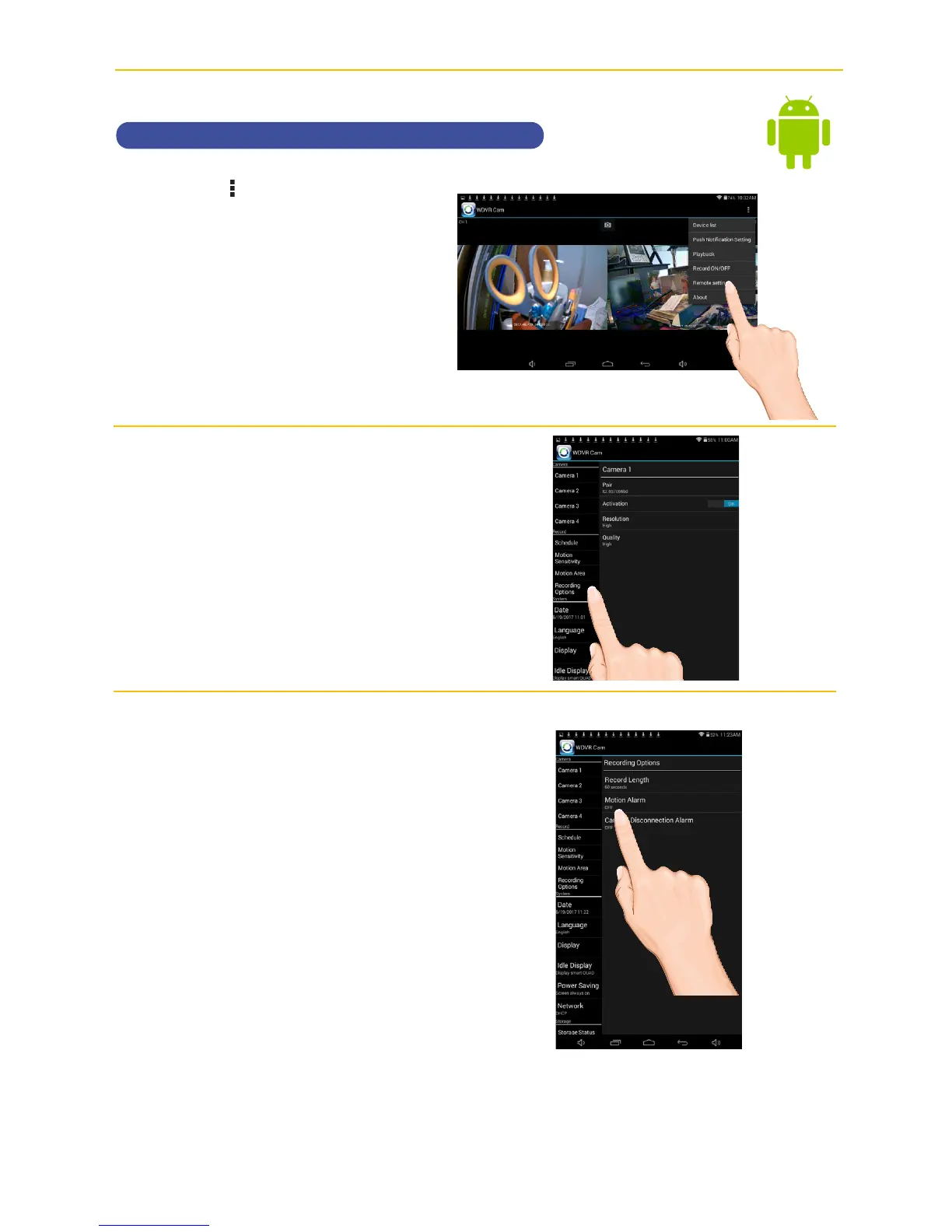
Tap the icon, then tap Remote
Setting
to access the System
Setup screen.
v
Tap Recording Options.
w
Tap the options as follows:
Motion Length: Set the time the
unit will record when motion is
detected (30, 60 or 120 seconds).
Record time may be longer is
motion continues.
Motion Alarm: Set the alarm to
sound for 5 or 10 seconds when
motion is detected, or turn off.
Camera Disconnection Alarm:
Set the alarm to sound for 5 or 10
seconds when video is lost from
one of the cameras, or turn off.



 To Next Page