— 56 —
REMOTE ACCESS
Setting HD Option
u
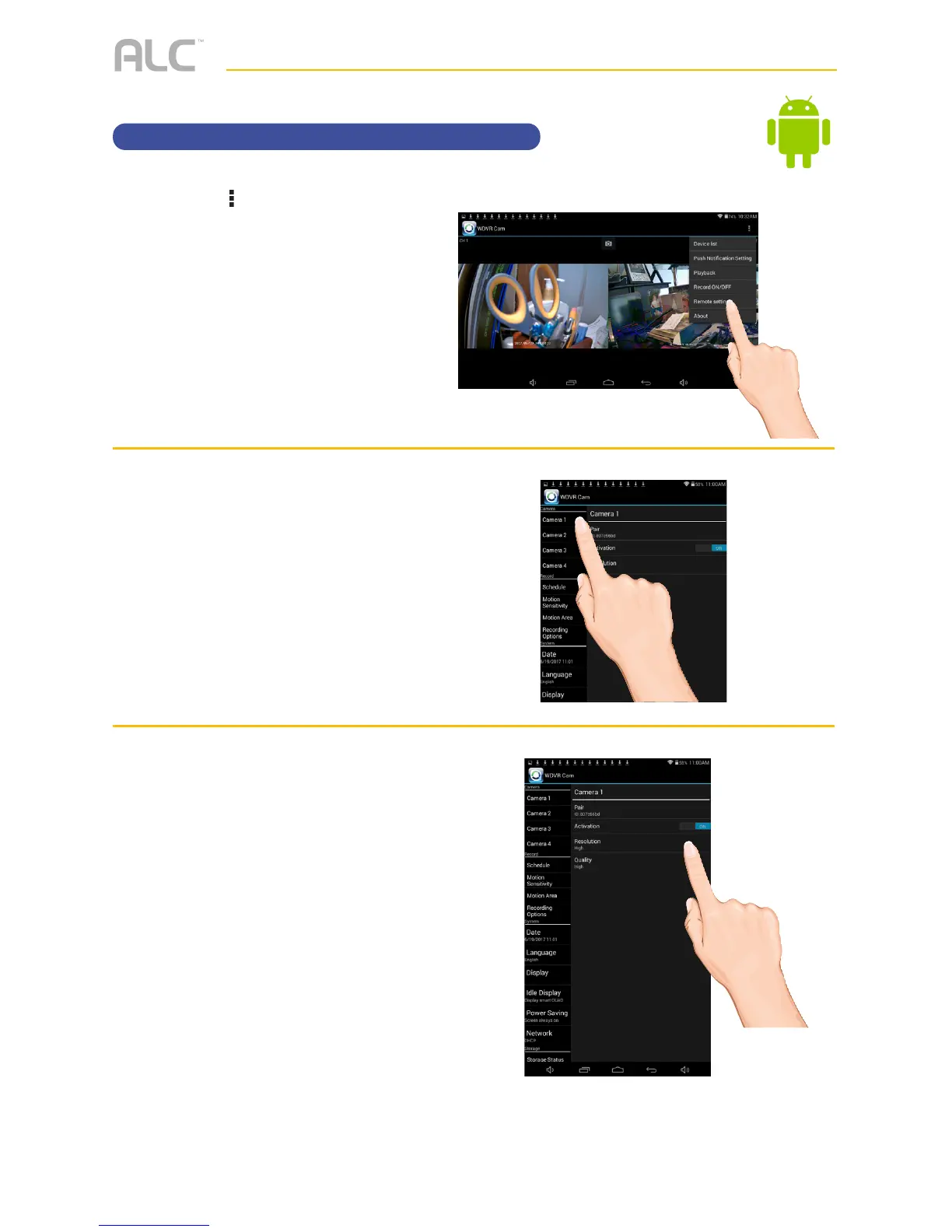
Tap the icon, then tap Remote
Setting
to access the System
Setup screen.
v
Tap the desired camera that you
want to set.
w
Tap to set the Resolution to HIGH
or LOW as desired.
HIGH will look
better but LOW will provide a
better frame rate which is optimal
when viewing on a mobile device.



 To Next Page