REMOTE ACCESS
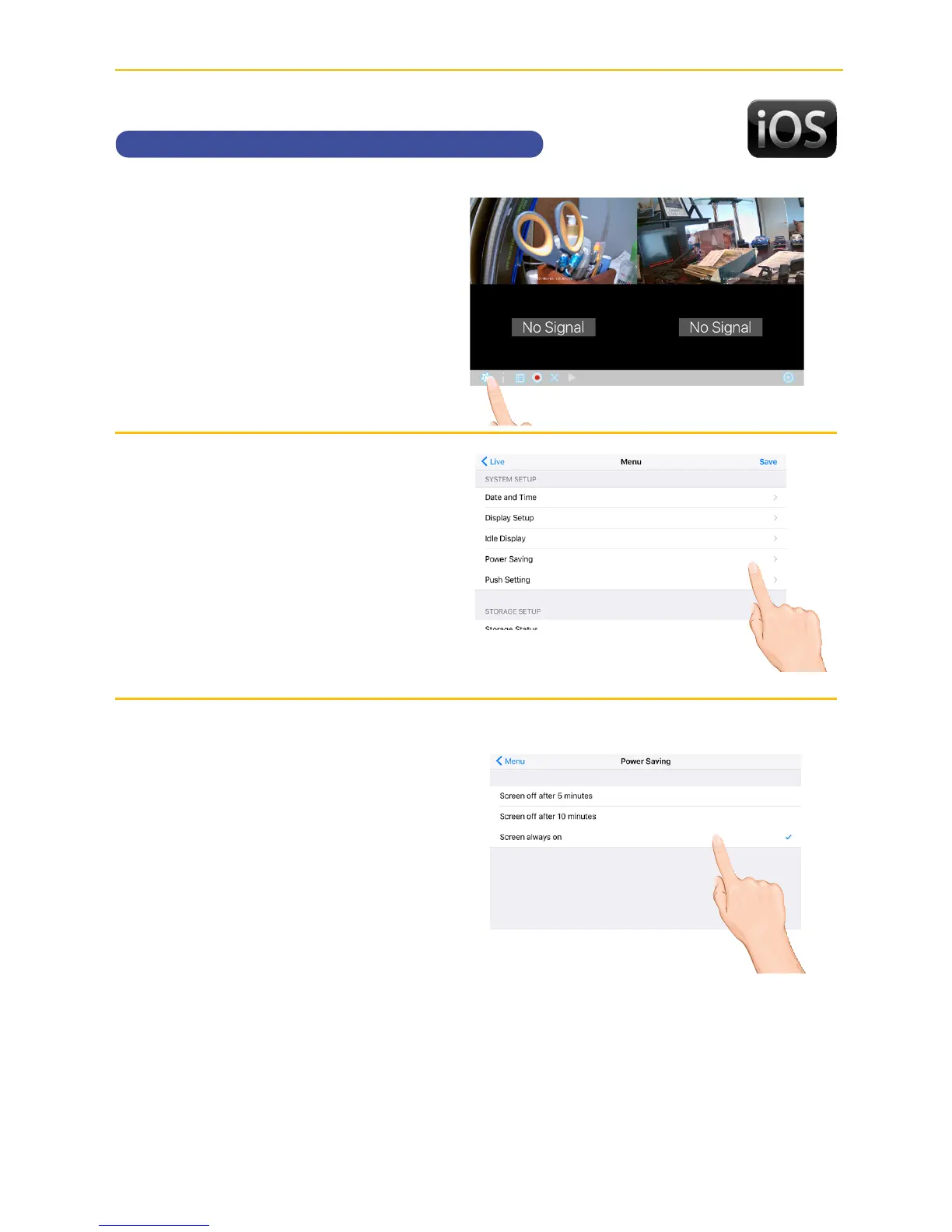
Setting the Power Savings
u
Tap the camera in the Devices
menu followed by the 4 button
to view the cam.
Tap the System
Menu icon to access the System
Setup screen.
v
Tap Power Saving.
w
Tap the desired time for which the
display will remain on when idle, 5
minutes, 10 minutes or Always On.



 To Next Page