Using your telephone
8AL91446ENAA ed02 55 /113
3.12 Receive a second call
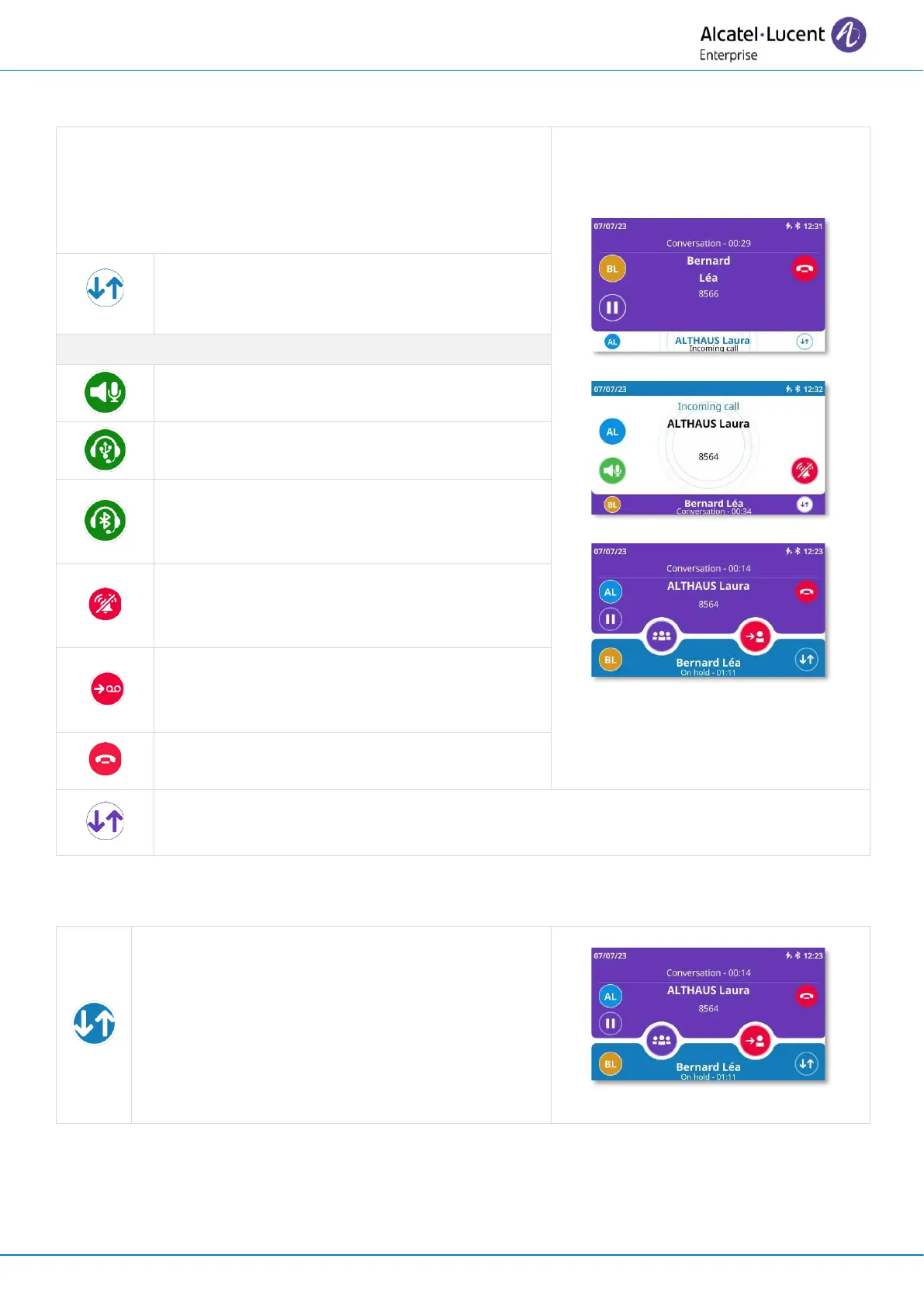
When you receive an incoming call during conversation,
information about the caller is displayed on the screen and
you will be alerted by three beeps.
If you are interested in the second call, display
the incoming call screen with call details and
available actions.
Answer an incoming call using hands-free
mode (preferred device is: Handsfree).
Answer an incoming call using a USB headset
(preferred device is: USB headset).
Answer an incoming call using a Bluetooth
®
headset (preferred device is: Bluetooth
headset)
Silent ringing when receiving an incoming
call. The desk phone stops ringing but you can
still answer the incoming call.
Decline the incoming call and forward it to
your voicemail. This icon is displayed after the
ringing stops and if voicemail is available.
Ignore the call. This icon is proposed if no
voicemail is defined.
To return to the current conversation screen without taking any action on the second
call, select this icon on the incoming call screen.
3.13 Switch between two calls
Press the switch icon to switch between calls.



 To Next Page