Getting to know your telephone
8AL91446ENAA ed02 22 /113
2.5 Using keyboard
There are 3 ways to use keyboard on your desk phone:
• Use the magnetic alphabetic keyboard connected to your desk phone: ALE-100 keyboard (sold
separately).
• Use the virtual keyboard (ALE-500, ALE-300).
• Use the alphanumeric keyboard.
The virtual or alphanumeric keyboard are disabled when the ALE-100 keyboard is connected.
2.5.1 Magnetic alphabetic keyboard
You can connect a magnetic alphabetic keyboard to your desk phone for a more comfortable user
experience (sold separately). See the following chapter for more information: ALE-100 keyboard
(USB).
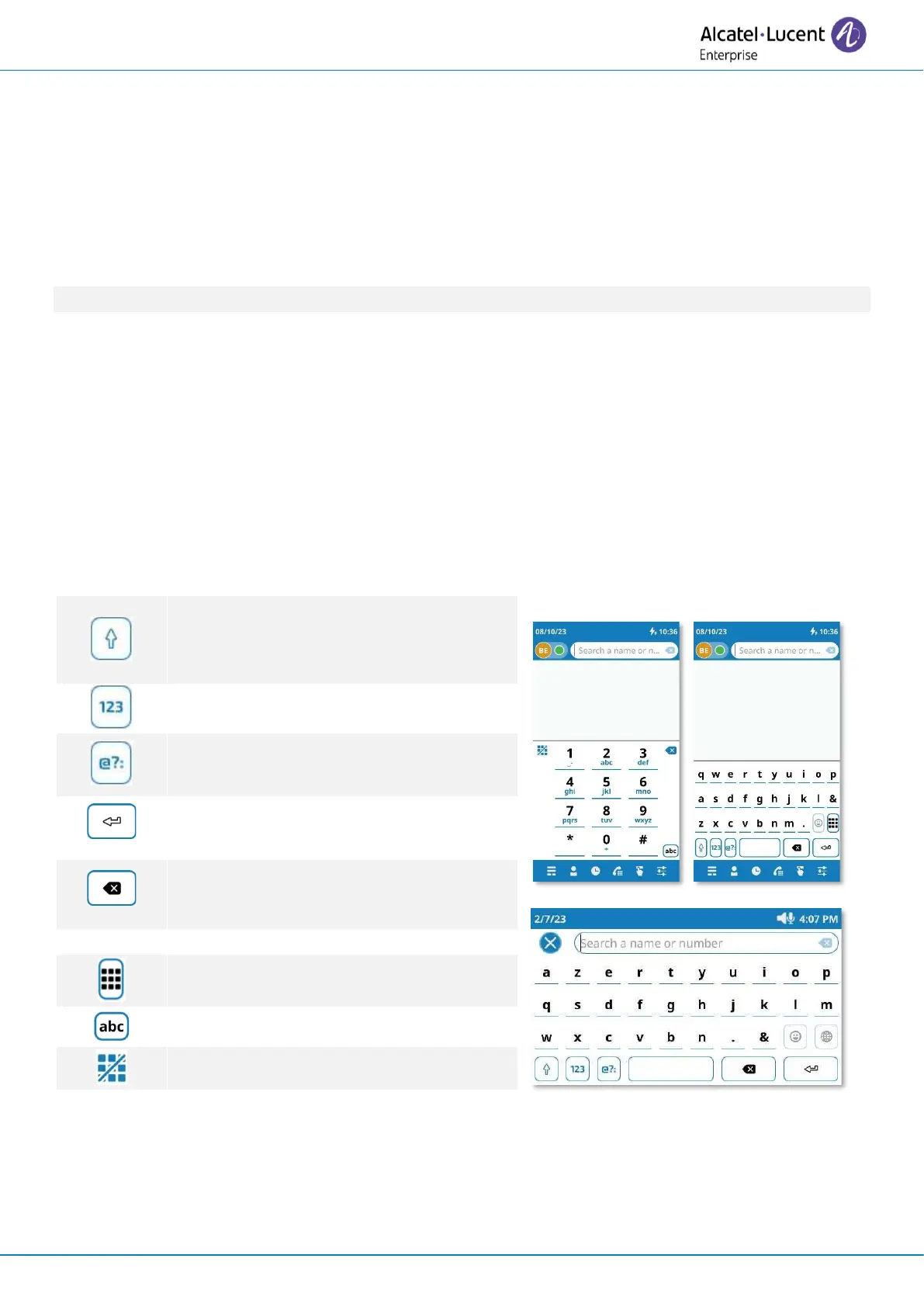
2.5.2 Virtual keyboard (ALE-500, ALE-400)
A virtual keyboard is displayed on your desk phone when you have to enter text. The virtual
keyboard depends on the language of your desk phone.
Below is a list of the function keys that allow you to access all the symbols.



 To Next Page