Accessories
8AL91446ENAA ed02 85 /113
5.2 ALE-160 WB Cordless Handset
To use the Bluetooth
®
handset, your desk phone must be equipped with ALE-108 Wireless Module.
The Bluetooth
®
settings menu is displayed only if the module is installed. The Bluetooth
®
feature
must be enabled.
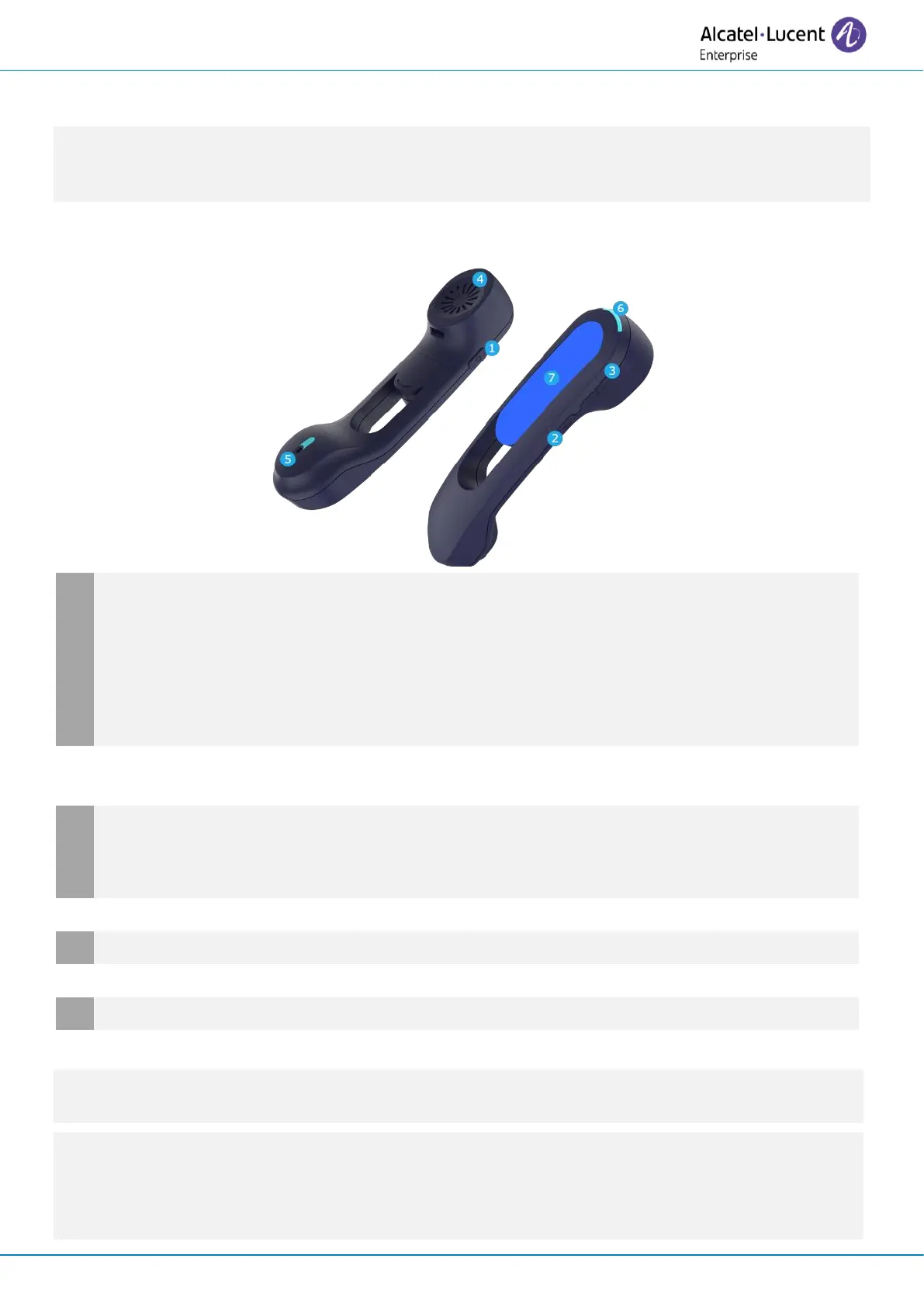
5.2.1 Description
Power button / Line key
Switch the device on/off: press and hold to switch the device on/off. If voice prompts are
enabled, you hear: “Power On / Power Off”.
Short press the line key to take or terminate a call.
The handset automatically goes into detection mode (pairing mode) if it is not already
paired with a desk phone (initial start-up or reset).
Mute button
During a call, press this key to stop your contact from hearing you.
Volume up and down boutons
+: Increase the volume during conversation by pressing this key in quick succession.
-: Decrease the volume during conversation by pressing this key in quick succession.
Super wideband microphone, with LED.
If the Bluetooth
®
handset is on its base, you do not need to press the line key to take or terminate
the call. Just pick up/hang up the Bluetooth
®
handset.
The battery recharges when the Bluetooth
®
handset is on its base. When you put the handset on
its base, the LED turns on briefly and turns off again when the battery starts to charge. The
battery autonomy is more than 10 hours in conversation, and 50 hours in idle state. Charge the
battery for about 6 hours before initial use.



 To Next Page