Getting to know your telephone
8AL91446ENAA ed02 36 /113
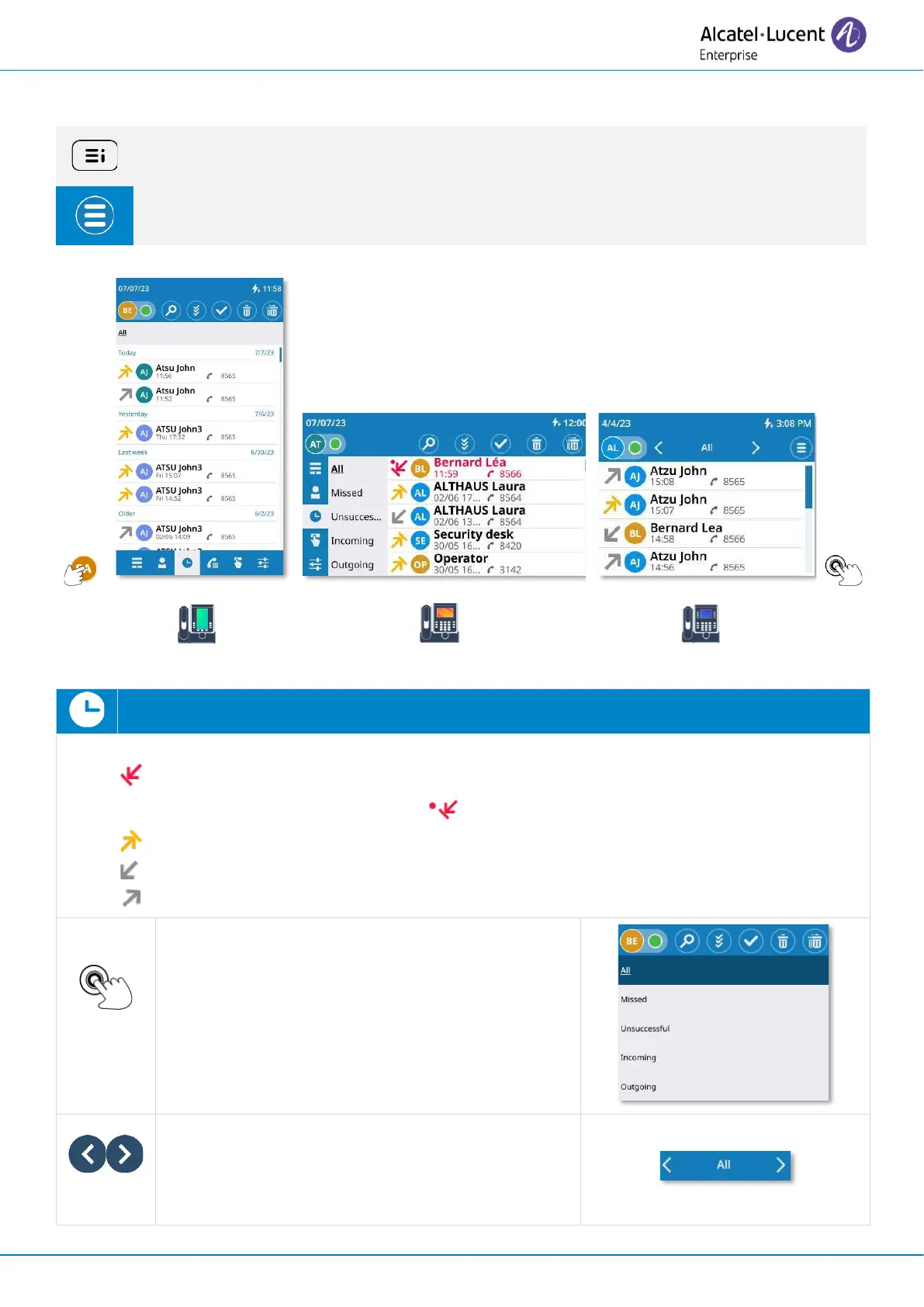
2.13 Call log
If possible, use the user local menu displayed on the current page (ALE-500, ALE-400) or
open it using the user local menu button.
Depending on the desk phone, some actions may be directly accessible from the
current page (ALE-500, ALE-400). If not, use the contextual menu (ALE-300).
Open the user local menu: Call log.
Display your entire call history sorted by timestamp:
• : missed calls. A red dot is displayed alongside the missed call icon if an incoming
call is missed and not acknowledged: .
• : unanswered outgoing calls.
• : answered incoming calls.
• : answered outgoing calls.
Select a filter to be activated and display all calls,
missed calls, unsuccessful calls, incoming calls,
outgoing calls. For ALE-500, the current filter is
displayed on the top left of the call log. Select it to
open the list of filters. For ALE-400, all filters are
displayed on the left of the call log.
Use the left/right navigation keys to activate
filters and display all calls, unread missed calls,
unanswered calls, incoming calls, outgoing calls
or conference calls.



 To Next Page