Accessories
8AL91446ENAA ed02 100 /113
5.6 ALE-108 Wireless Module
5.6.1 Description
The ALE-108 Wireless Module allows you to add Bluetooth
®
devices.
This module is required:
• To connect the ALE-160 WB Cordless Handset.
• To connect a Bluetooth
®
headset.
Depending on the option, your desk phone can be equipped with the wireless module. In any other
case, you can purchase it separately.
5.6.2 Unboxing
• ALE-108 Wireless Module.
• Installation procedure.
• Safety and regulatory instructions.
5.6.3 Installation
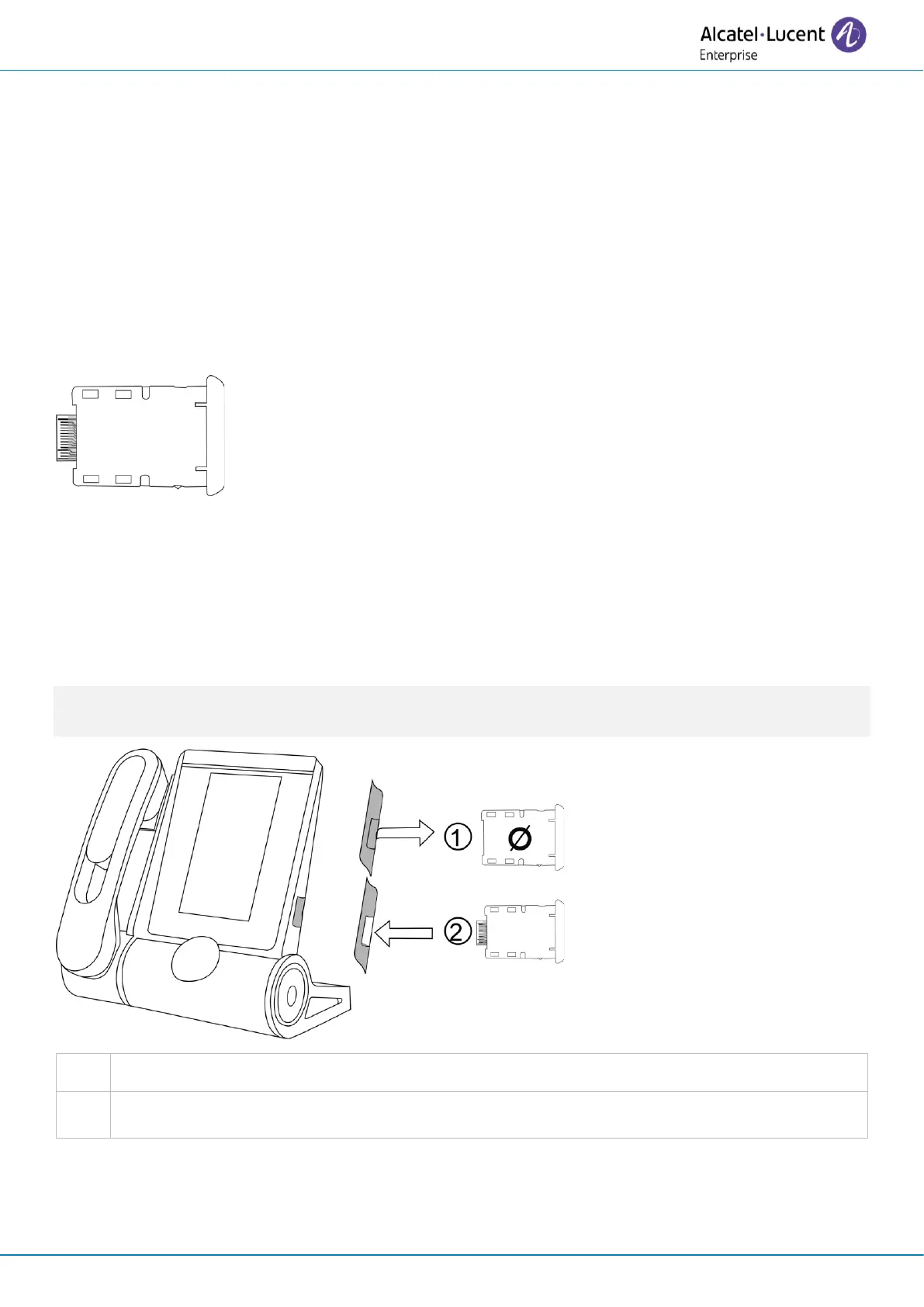
Please note that the module is not hot-swappable. We strongly recommend performing this action
only when the phone is powered OFF to ensure safe installation or removal of the module.


 To Next Page