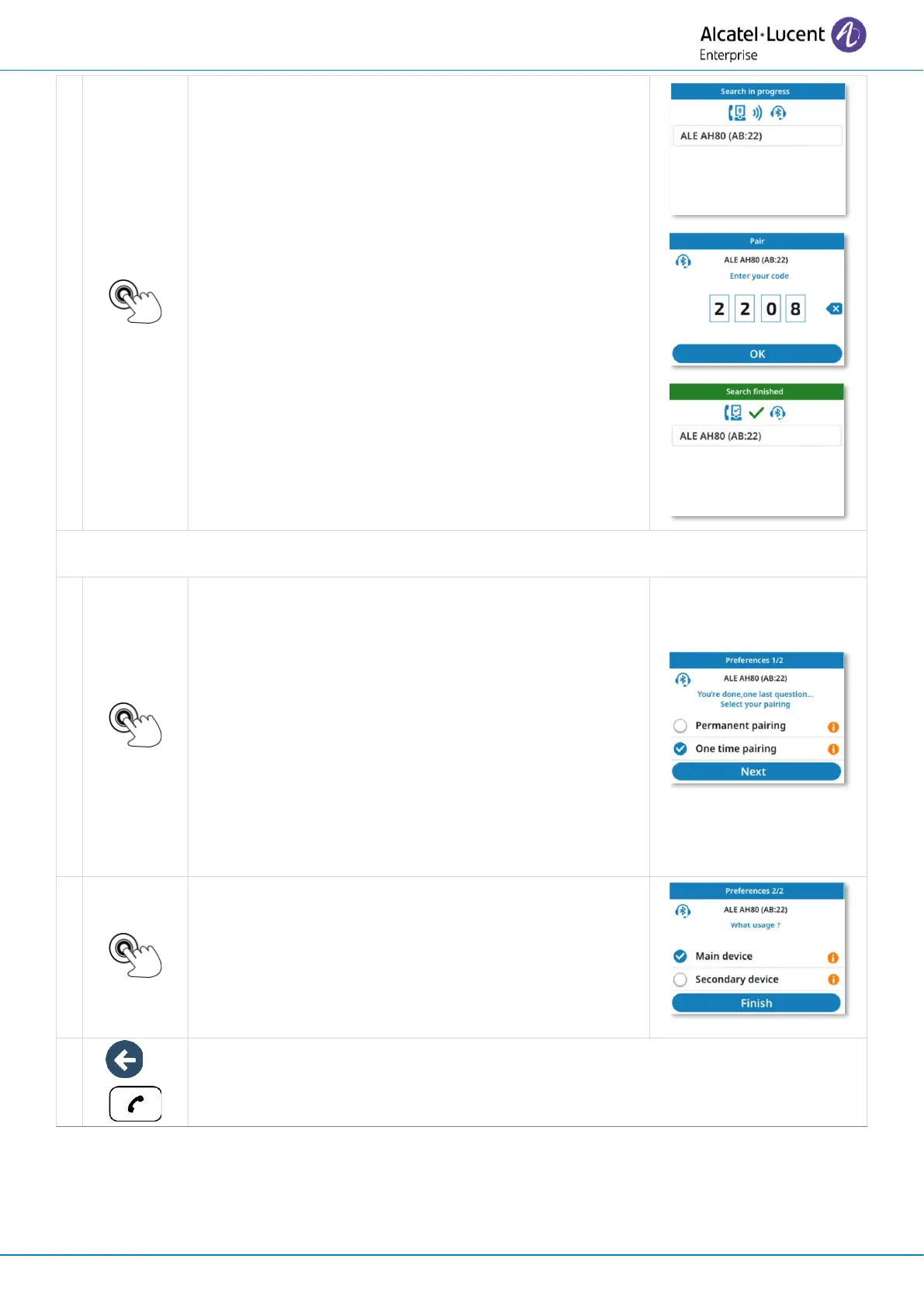
Select the relevant equipment.
If a password is requested, refer to the user
documentation supplied with the headset.
Define whether your pairing is permanent, such as
when you use your own desk phone, or one-time,
such as when you use a desk phone in a meeting
room
• Permanent pairing: the device is automatically
paired when connection is possible.
• One time pairing: when the connection is lost,
the pairing is deleted. All your device data will
be removed from the desk phone. The
connection can be lost if the device is out of
range, is turned off or if the desk phone reset
due to an update.


 To Next Page