OmniPCX Enterprise - Release R100.1
Update of User Manual of ALE-300 DeskPhone in Attendant mode TC3046 ed.02
© Copyright 2023 ALE International, ALE USA Inc.
page 14/75
2.1.3.2
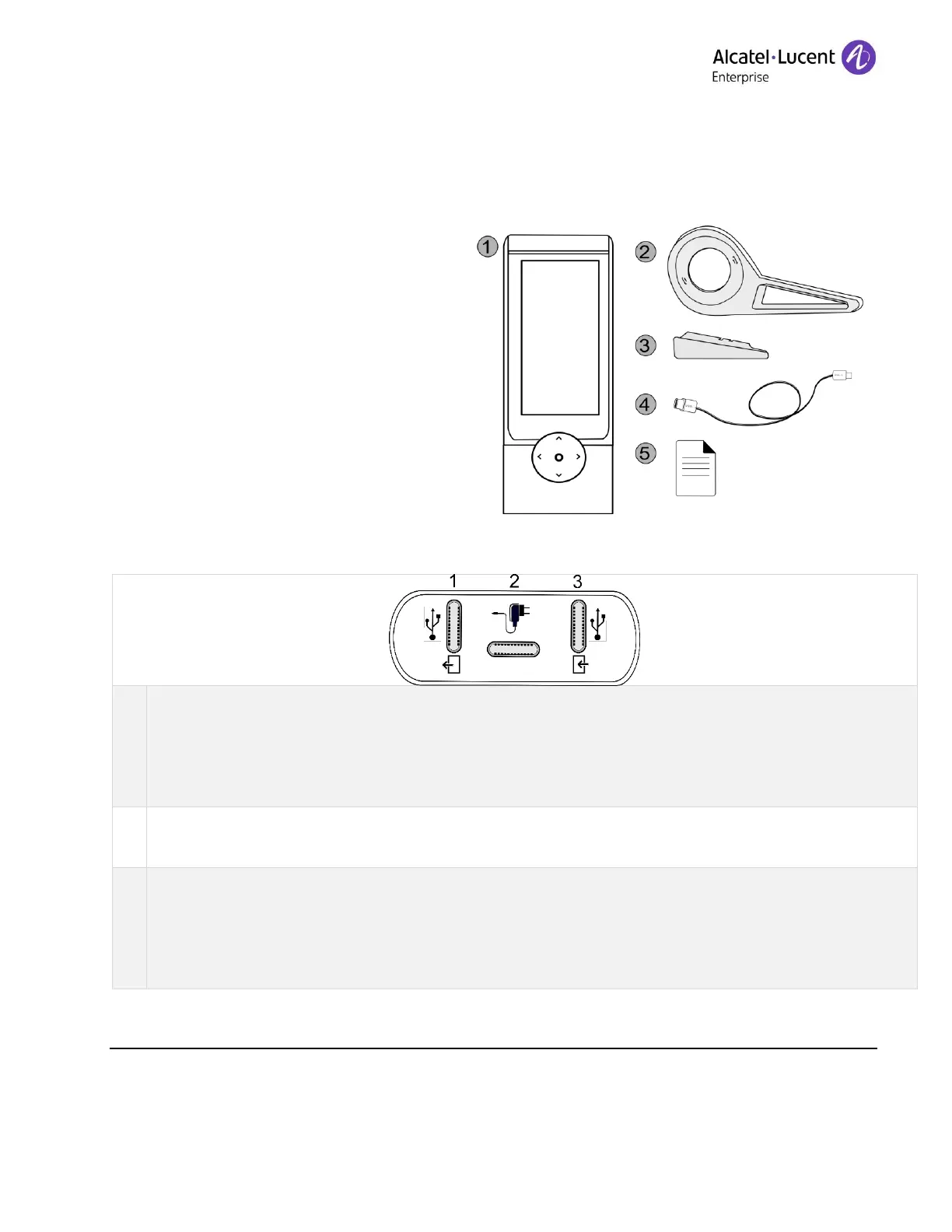
Unboxing
1. ALE-120 Key Expansion Module
(default color).
2. 1x Foot clip.
3. 1x Lock clip.
4. 1x USB-C to USB-C cable.
5. Safety and regulatory instructions.
Universal Serial Bus (USB-C) connector.
Use this connector to plug in an additional accessory. If available, you can use this connector to
plug in a headset.
Use this connector to connect the USB key to update (see the chapter below).
Universal Serial Bus (USB-C) connector.
Use this connector to plug a power through USB.
Universal Serial Bus (USB-C) connector.
Use this connector to plug in the accessory to the desk phone or to another accessory that is
already connected. If available, you can use this connector to plug in a headset.
Use this connector to connect the PC to update (see the chapter below).











 To Next Page