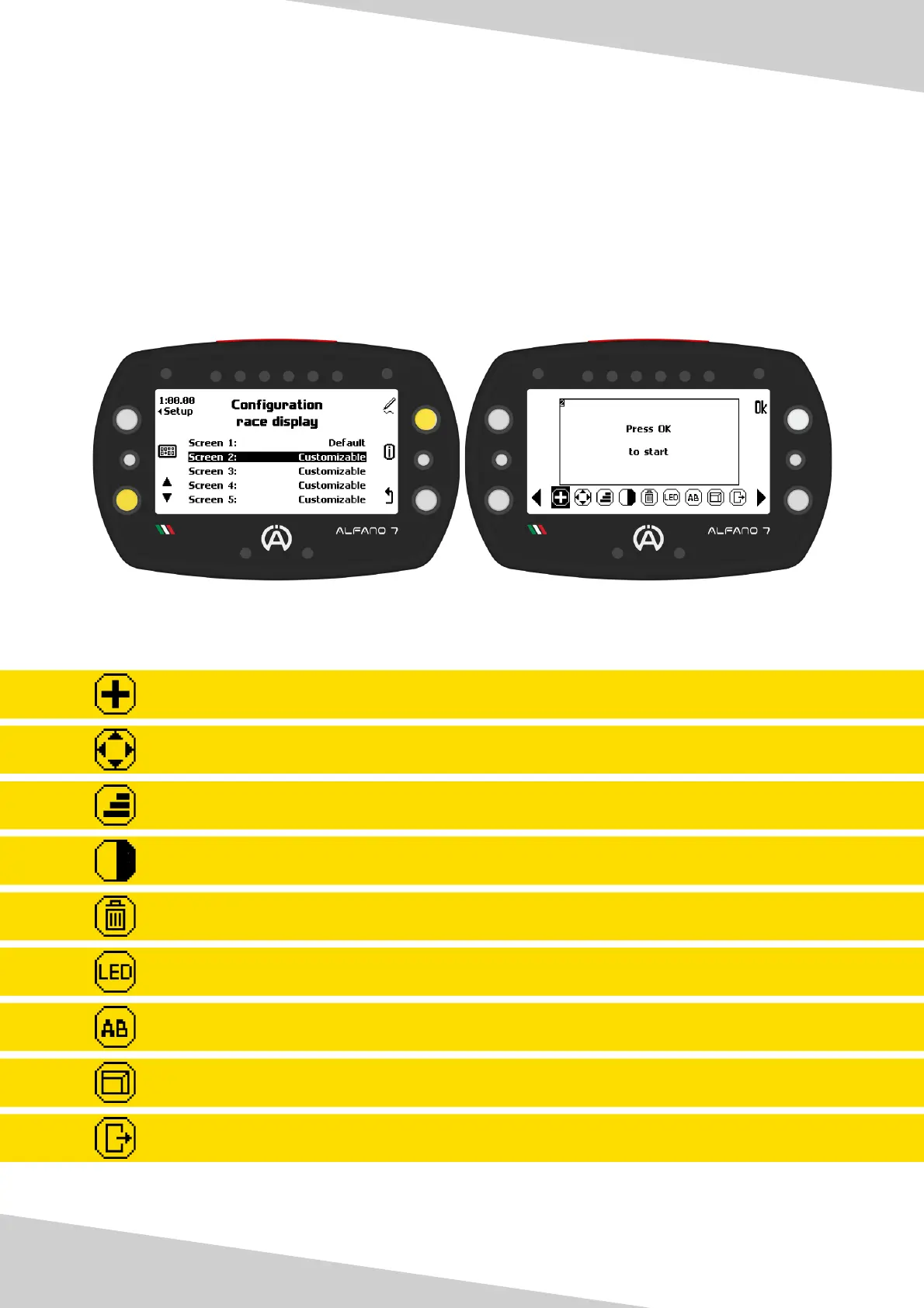
7.1. Edit Race Screen 2/3/4/5 - EDITABLE
Add a Widget
Move a previously inserted Eidget
Resize a Widget
Invert the Widget’s color
Remove a Widget
6 LEDs System
Rename Race Screen
View the Race Screen while editing
Exit Editing Race Screen
Race screens 2/3/4/5 are entirely customizable
To modify a Race Screen, simply select it using the button at the bottom left and access the
workspace by pressing the button at the top right
By default race screens 2/3/4/5 are empty
Race screen editing tools:
16
7. Race Screen



 To Next Page