8.2.8. FORMAT - TIME ZONE
8.2.9 SYSTEM INFORMATION and RESET
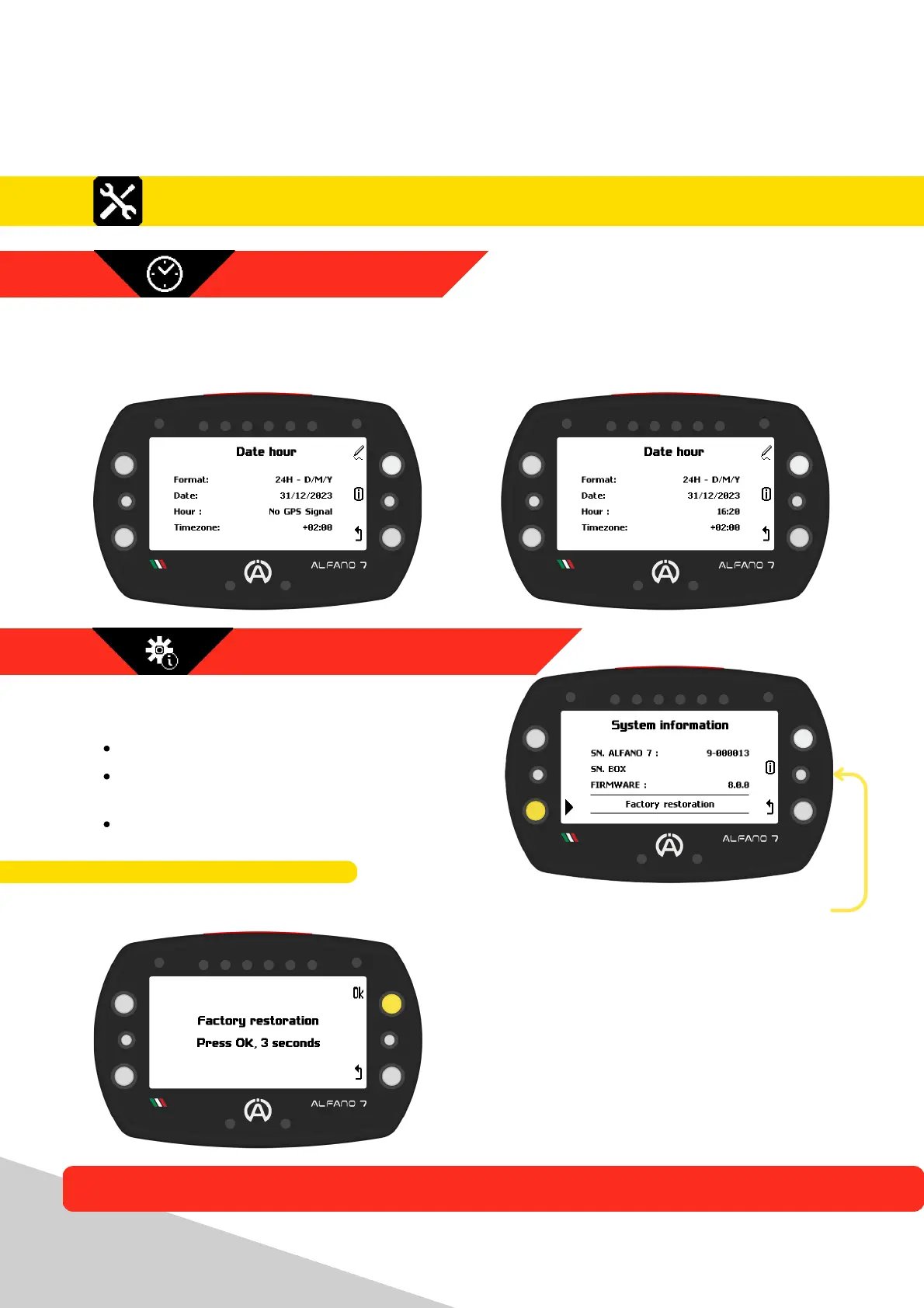
This page allows you to set the display format for date and time
If the Alfano 7 receives a GPS signal, it will display the UTC time. You can also set the time
zone for your area of interest
To restore your Alfano 7 to the factory settings, press the button located at the bottom left
This screen indicates:
Alfano 7 serial number
Serial number and type of connected
Alfano Box
Alfano 7 firmware version
8.2.9.1. FACTORY RESTORATION
The Alfano 7 will be restored to its factory state, and all saved data, tracks, and settings will
be deleted
41
8. Settings
An intermediate confirmation page will
appear
Confirm the device reset by pressing the
“ok” button until the progress bar that
appears is fully loaded
8.2. Alfano 7 Settings, Connected Sensors and Boxes



 To Next Page