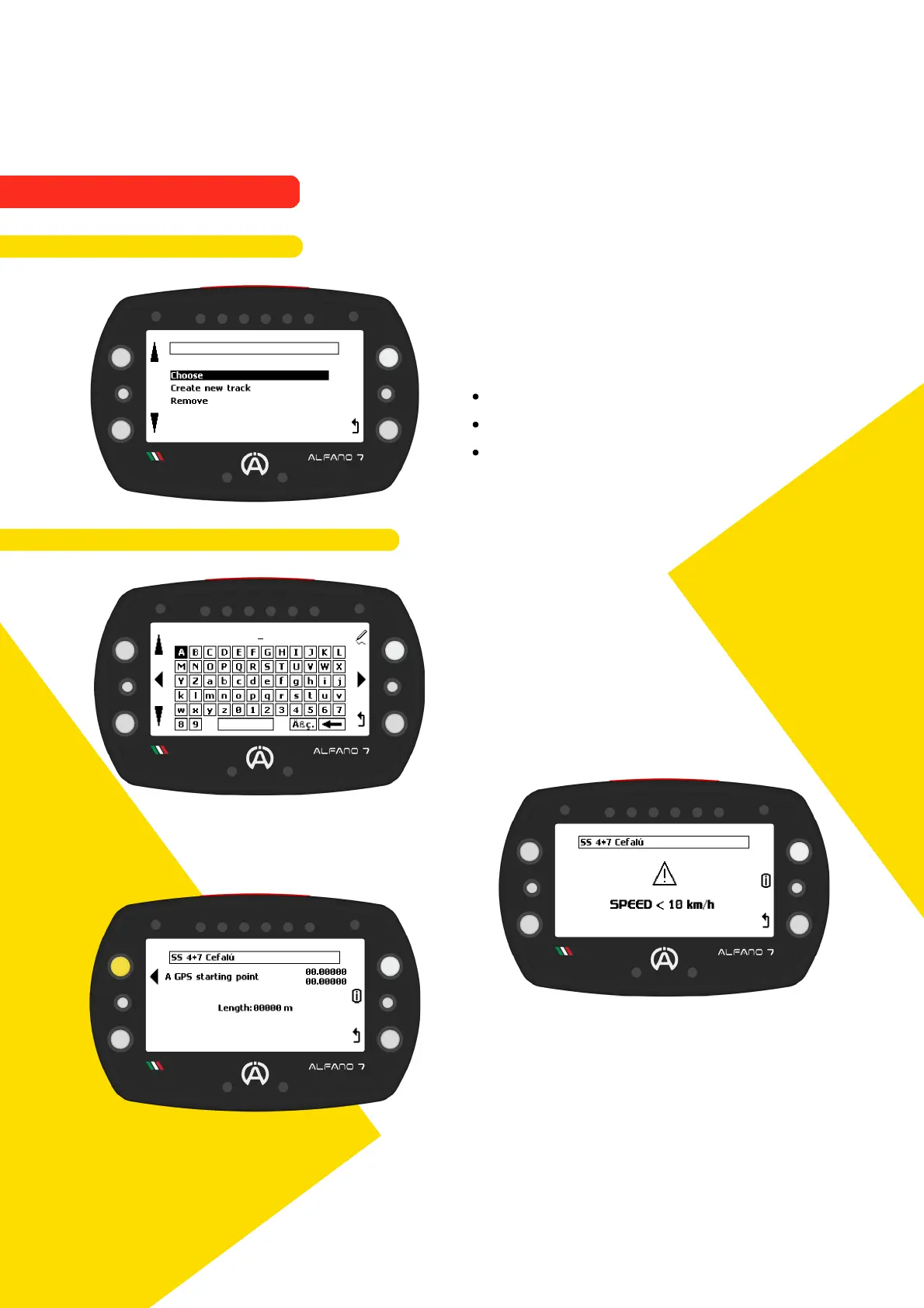
9.4.3.1. Create a new GPS Track Open
In GPS mode, the open track mode
management screen enables you to:
Choose a previously created open track
Create a new open track
Permanently delete a open track in
memory
After selecting 'create new track', the Alfano
7 will prompt you to name the track
If the GPS signal is received, a new open track
can be created. Otherwise, a waiting screen
will be displayed until the GPS signal is
correctly received
To set the start and end points, the vehicle
must move forward at a speed of at least 10
km/h
Press the upper left button when you have
reached the geographical point you wish to
set as the starting point (A)
The vehicle must never come to a stop
76
9.4.3. TRACK OPEN - GPS
9. Alfano Mode
9.4. TRACK OPEN MODE



 To Next Page